
Pre/Post Request Scripting
How to do common scripting tasks with template tags instead of scripts
Yaak handles dynamic requests with templating instead of pre/post request scripts. The things scripts are usually written for (pulling values from other responses, generating dynamic data, injecting secrets) are built in as template tags, visible right where they’re used.
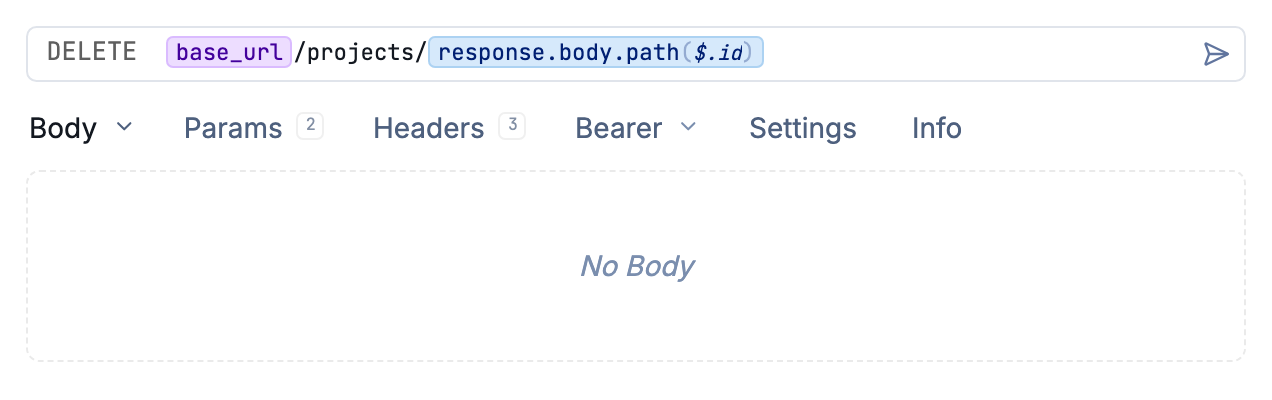
A response() tag pulling a value from another request, visible right where it’s used
Use a value from another response
The most common pre-request script is “call the login endpoint, save the token.” In Yaak,
the response() template function references another request’s response directly, using
JSONPath or XPath to select the value. If the referenced request has no response yet, it
is sent automatically first.
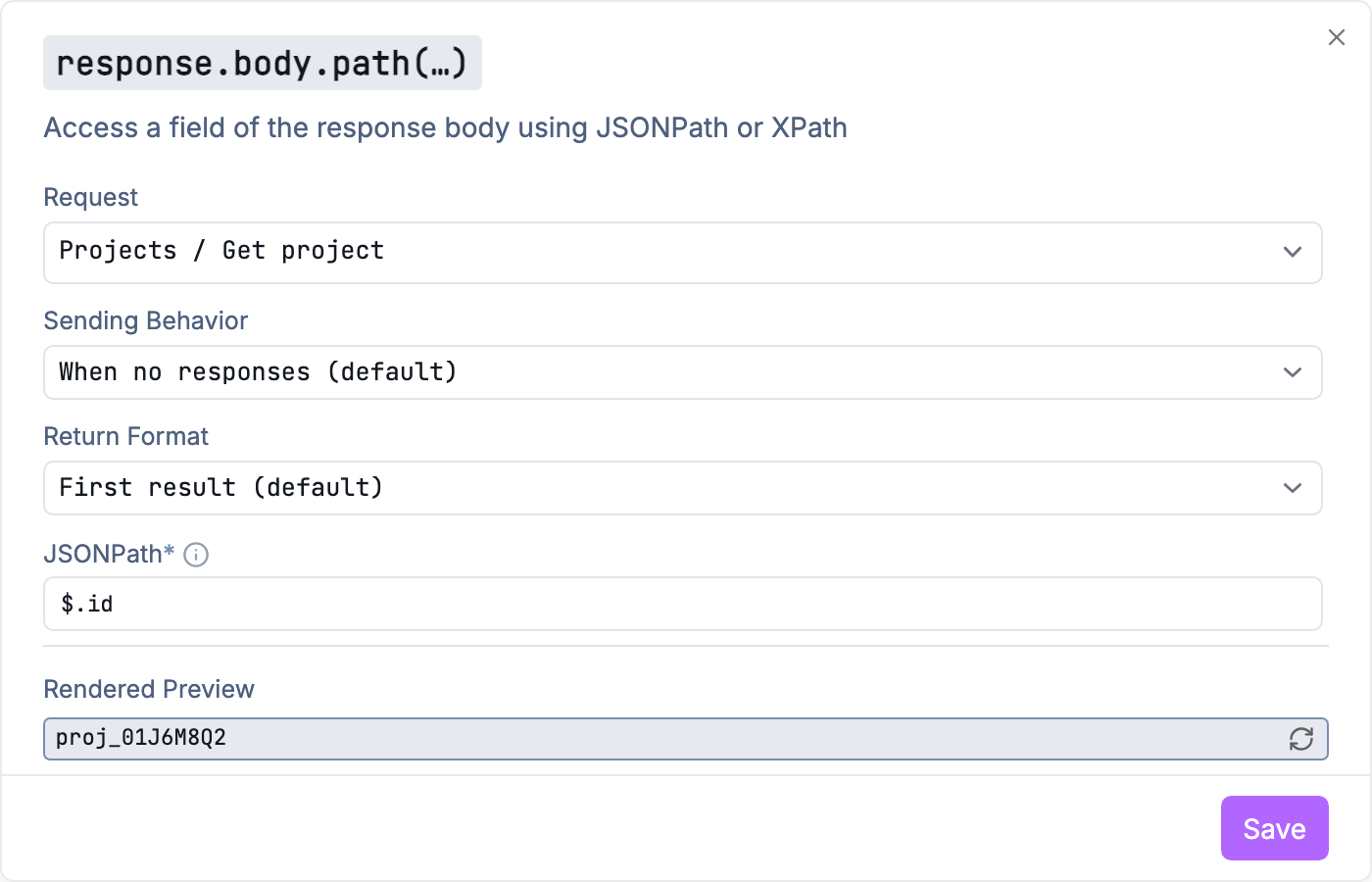
Selecting which request the response() function should reference
Define the tag once as an environment variable and every request can use it. See Request Chaining for a walkthrough.
Generate dynamic values
Template functions cover the usual script one-liners:
hashing, timestamps, UUIDs, file contents, prompting for input, and realistic fake data via
Faker. All are available from the autocomplete menu
(Ctrl+Space) in any text field.
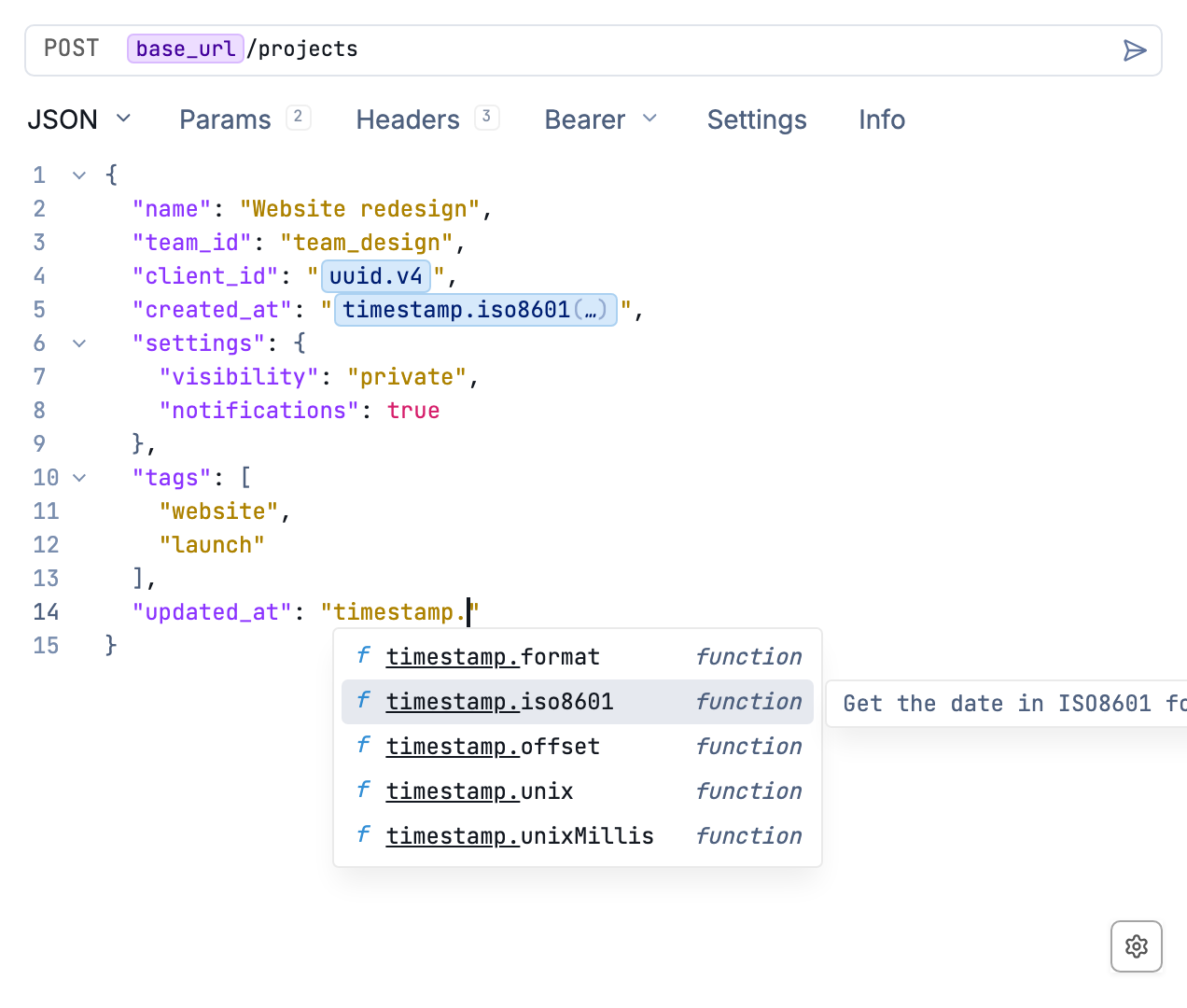
Template functions in the autocomplete menu
Keep secrets out of your files
The secure() template function stores values encrypted rather than as plain text, so
tokens and passwords can live in workspaces that sync to Git. See
Secrets Encryption.
When you actually need code
Write a custom template function as a plugin. It takes a few lines of TypeScript and has full Node.js access. Unlike a per-request script, it becomes a reusable function available across all workspaces, and it can be shared through the plugin directory.
If none of that covers it
Some workflows genuinely depend on arbitrary per-request code, and Yaak may not fit them today. Scripting remains under consideration. Add your use case to the scripting feedback post so it can shape what gets built.
Was this helpful?