
AWS Signature v4
Sign requests for AWS services and S3-compatible APIs
AWS Signature Version 4 signs requests cryptographically using your AWS credentials. Use this for AWS services like S3, Lambda, and DynamoDB, or S3-compatible services like Cloudflare R2 and MinIO.
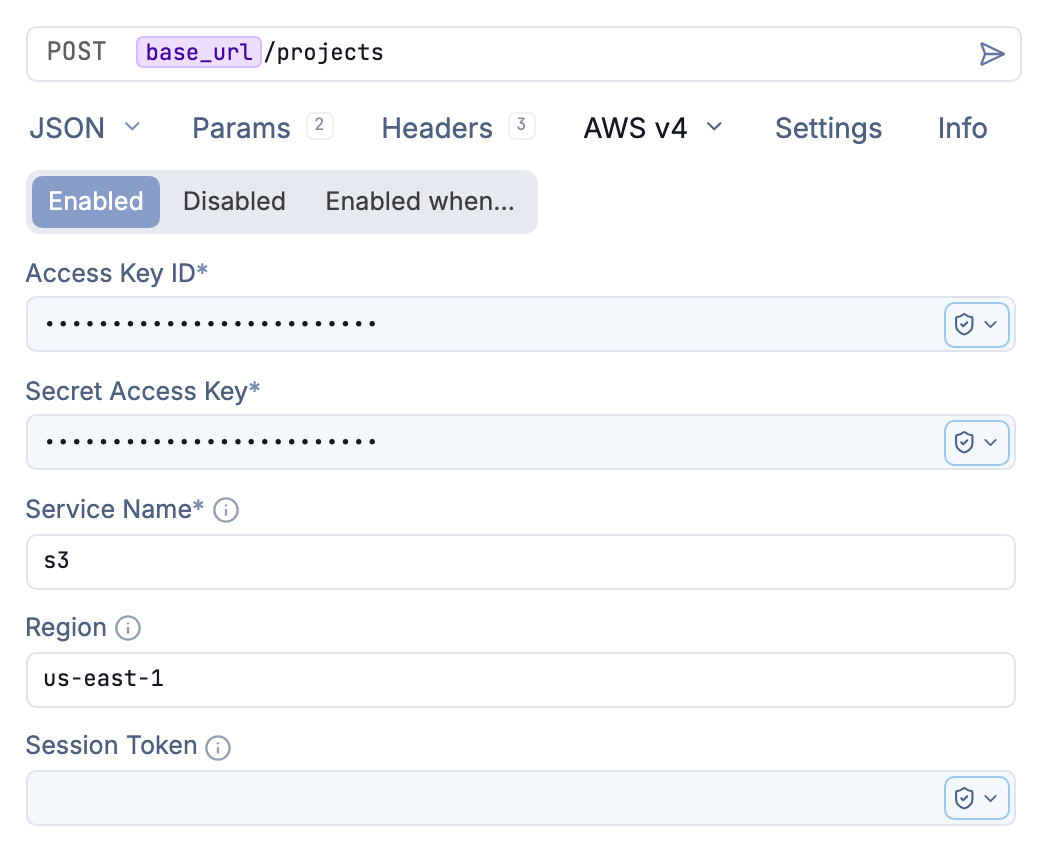
Configure AWS Signature for the S3 service in us-east-1
How It Works
SigV4 creates a cryptographic signature from key request components (method, URL, headers, payload) using your credentials. The signature proves the request came from you and hasn’t been modified.
Yaak adds the Authorization and X-Amz-Date headers automatically with the cryptographic signature and timestamp.
Configuration
Select AWS Signature v4 from the Auth dropdown. Configure these fields:
| Field | Description |
|---|---|
| Access Key ID | Your AWS access identifier |
| Secret Access Key | The secret associated with your access key ID |
| Session Token | For temporary credentials from STS (optional) |
| Region | AWS region (e.g., us-east-1, eu-west-1) |
| Service Name | AWS service identifier (e.g., s3, execute-api, lambda) |
Usage
- Select AWS Signature v4 from the Auth dropdown
- Enter your AWS credentials
- Set the region and service for your target API
- Send your request - Yaak signs it automatically
Common Services
| Service | Service ID | Example Use Case |
|---|---|---|
| S3 | s3 |
Object storage operations |
| API Gateway | execute-api |
Custom REST APIs |
| Lambda | lambda |
Function invocation |
| DynamoDB | dynamodb |
Database operations |
| STS | sts |
Getting temporary credentials |
| SES | ses |
Email sending |
S3-Compatible Services
AWS SigV4 works with S3-compatible services. Adjust the endpoint URL and region:
Cloudflare R2:
- Endpoint:
https://<account-id>.r2.cloudflarestorage.com - Region:
auto - Service:
s3
MinIO:
- Endpoint: Your MinIO server URL
- Region: Your configured region
- Service:
s3
Template Variables
Use environment variables for credentials:
Access ID: ${[ AWS_ID ]}
Access Secret: ${[ AWS_SECRET ]}
Region: ${[ AWS_REGION ]}
This lets you use different credentials per environment.
Temporary Credentials
For assumed roles or temporary credentials from STS, include the session token. Yaak adds the security token header automatically.
Temporary credentials are more secure for applications because they expire automatically.
Troubleshooting
SignatureDoesNotMatch
- Check your credentials are correct
- Verify the region matches your resource’s region
- Ensure the service identifier is correct
InvalidAccessId
- Your access ID may be inactive or deleted
- Check for typos in the access ID
ExpiredToken
- Session token has expired
- Request new temporary credentials from STS
Clock Skew
- Your system clock may be out of sync
- AWS requires requests to be within 15 minutes of server time
Was this helpful?