
JWT
Generate and sign JSON Web Tokens for API authentication
JWT (JSON Web Token) authentication generates signed tokens containing claims about the user or application. Yaak creates and signs JWTs automatically based on your configuration.
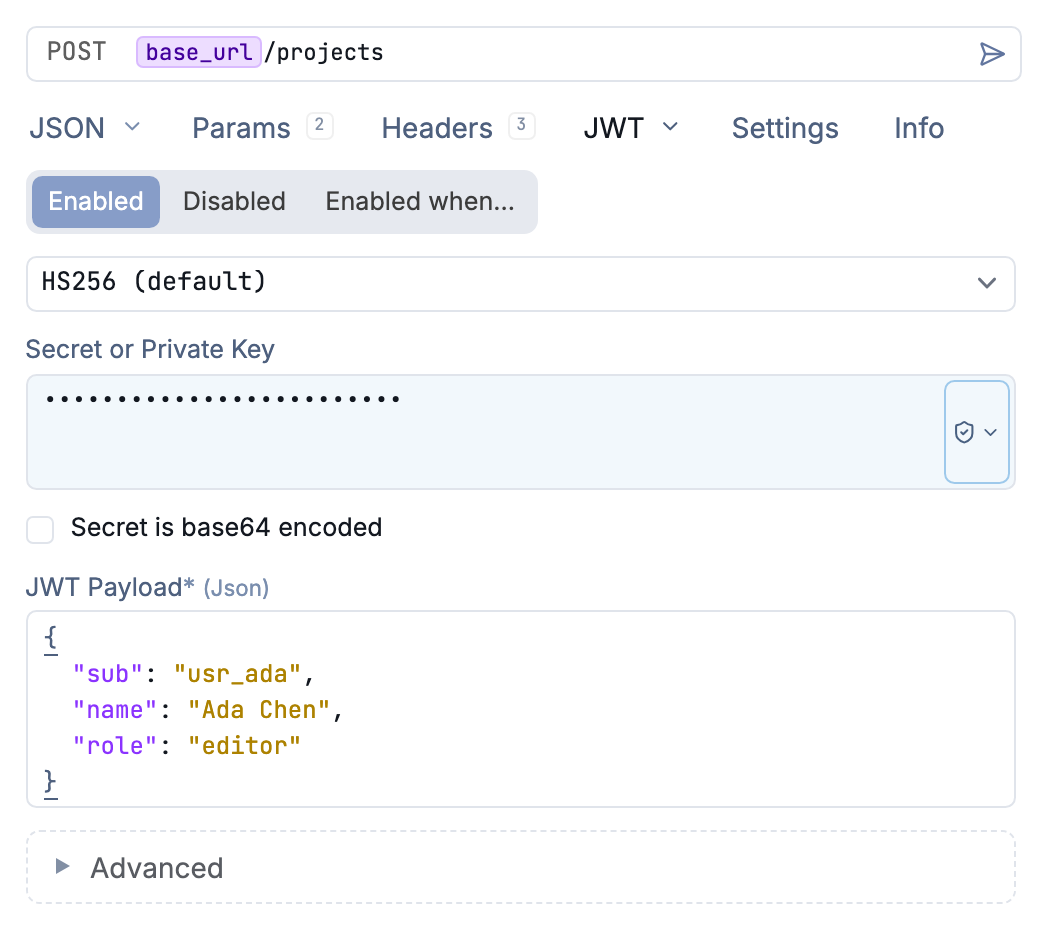
Configure the signing algorithm, secret, and claims for a JWT
How It Works
A JWT consists of three Base64-encoded parts separated by dots:
header.payload.signature
- Header: Token type and signing algorithm
- Payload: Claims (user data, permissions, expiration)
- Signature: Cryptographic signature verifying the token’s integrity
Yaak sends the generated JWT in the Authorization header:
Authorization: Bearer eyJhbGciOiJIUzI1NiIs...
Configuration
Select JWT from the Auth dropdown. Configure the signing settings and claims:
Signing Algorithm
Choose from supported algorithms:
| Algorithm | Type | Description |
|---|---|---|
| HS256, HS384, HS512 | HMAC | Symmetric key signing with shared secret |
| RS256, RS384, RS512 | RSA | Asymmetric signing with private/public key pair |
| ES256, ES384, ES512 | ECDSA | Elliptic curve signing |
| PS256, PS384, PS512 | RSA-PSS | RSA with PSS padding |
Secret / Private Key
- For HMAC algorithms: Enter your shared secret
- For RSA/ECDSA: Enter your private key in PEM format
Claims
Configure standard and custom claims in the payload:
| Claim | Description |
|---|---|
iss |
Issuer - who created the token |
sub |
Subject - who the token represents |
aud |
Audience - intended recipient |
exp |
Expiration time (Unix timestamp) |
iat |
Issued at time (Unix timestamp) |
nbf |
Not valid before (Unix timestamp) |
Add custom claims as needed for your API.
Usage
- Select JWT from the Auth dropdown
- Choose your signing algorithm
- Enter your secret or private key
- Configure the required claims for your API
- Send your request—Yaak generates a fresh JWT automatically
Common Use Cases
- Microservices authentication - Service-to-service communication
- API Gateway integration - Authenticating with gateways like Kong or AWS API Gateway
- Single Sign-On (SSO) - Sharing authentication across applications
- Stateless authentication - No server-side session storage required
Template Variables
Use environment variables for secrets and claim values:
Secret: ${[ JWT_SECRET ]}
Subject: ${[ SERVICE_NAME ]}
Troubleshooting
Invalid Signature
- Verify your secret or private key is correct
- Ensure the algorithm matches what the API expects
- Check for extra whitespace in keys
Token Expired
- Adjust the expiration time (
expclaim) - Yaak generates tokens on each request, so check your clock sync
Invalid Claims
- Ensure required claims are configured
- Verify claim values match what the API expects
Key Format Issues
- RSA keys must be in PEM format (begin with
-----BEGIN PRIVATE KEY-----) - Ensure the key includes header and footer lines
Was this helpful?