
Client Certificates
Authenticate with TLS client certificates
Yaak supports TLS client certificates for mutual authentication (mTLS). Configure certificates in Settings and Yaak applies them automatically to matching requests.
For SSL/TLS errors caused by a self-signed server certificate, see server certificate validation.
Adding a Certificate
Open Settings and navigate to the Certificates tab.
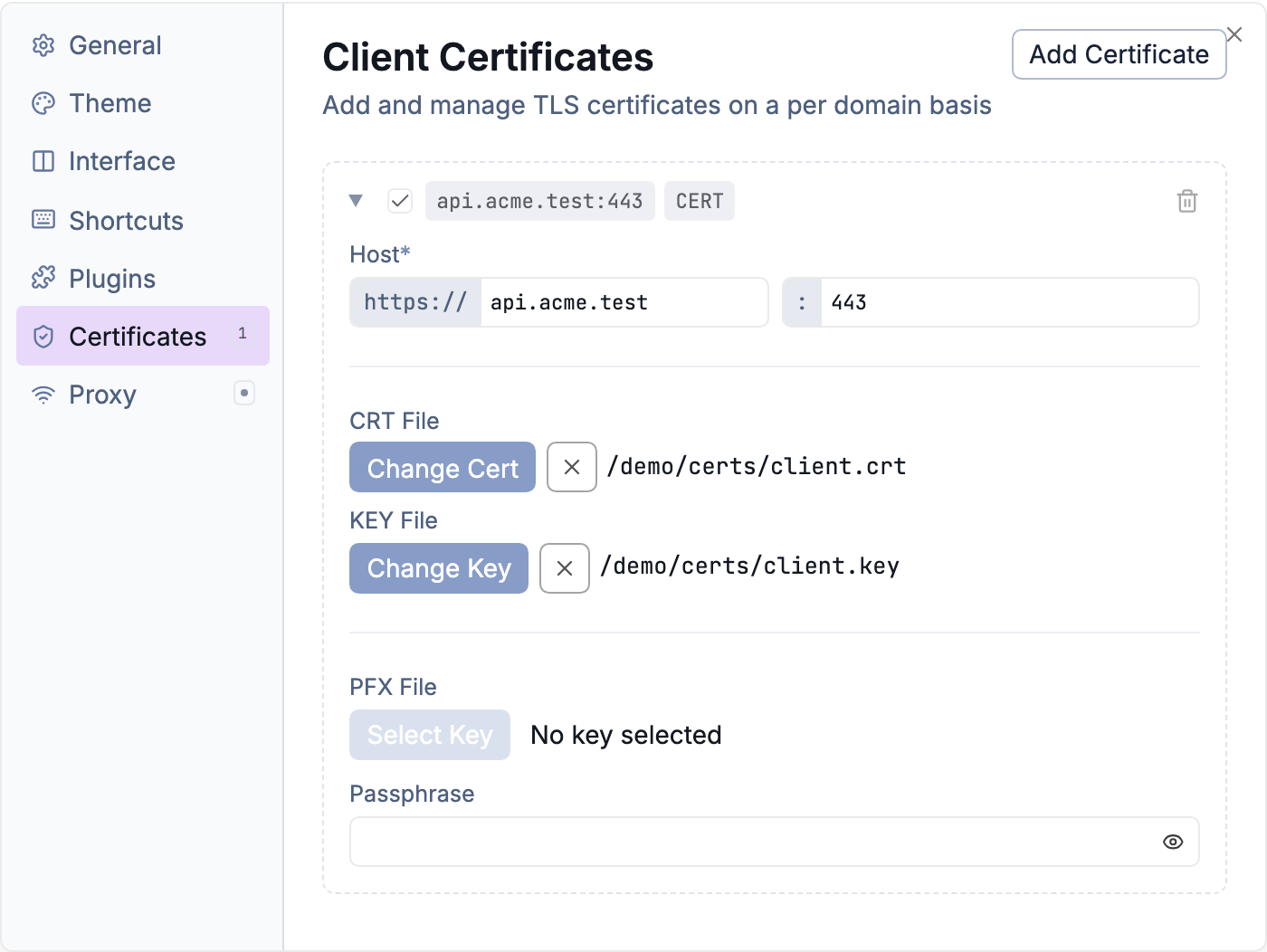
Manage client certificates from Settings → Certificates
PFX/PKCS#12
For bundled certificate and key files:
- Click Add Certificate
- Select your
.pfxor.p12file - Enter the passphrase if encrypted
- Enter the host to match
- Optionally specify a port
Certificate + Key
For separate PEM files:
- Click Add Certificate
- Select your certificate file (
.crt,.pem,.cer) - Select your private key file (
.key,.pem) - Enter the passphrase if the key is encrypted
- Enter the host to match
- Optionally specify a port
Host Matching
Certificates match requests by hostname (case-insensitive). If you specify a port, it must also match. Without a port, the certificate matches any port on that host.
api.example.com        # Matches any port
api.example.com:8443   # Matches only port 8443
Multiple Certificates
Add multiple certificates for different services. Yaak uses the first matching certificate for each request.
Toggle certificates on/off without deleting them using the enable checkbox.
Supported Formats
| Format | Extensions |
|---|---|
| PFX/PKCS#12 | .pfx, .p12 |
| PEM Certificate | .crt, .pem, .cer |
| PEM Key | .key, .pem |
| DER Certificate | .der, .cer |
Was this helpful?