
OAuth 2.0
Authenticate with OAuth 2.0 and OpenID Connect (OIDC) providers
Yaak supports OAuth 2.0 and OpenID Connect (OIDC) authentication for APIs that require it. Configure your OAuth provider once, and Yaak handles token acquisition, refresh, and injection into requests automatically.
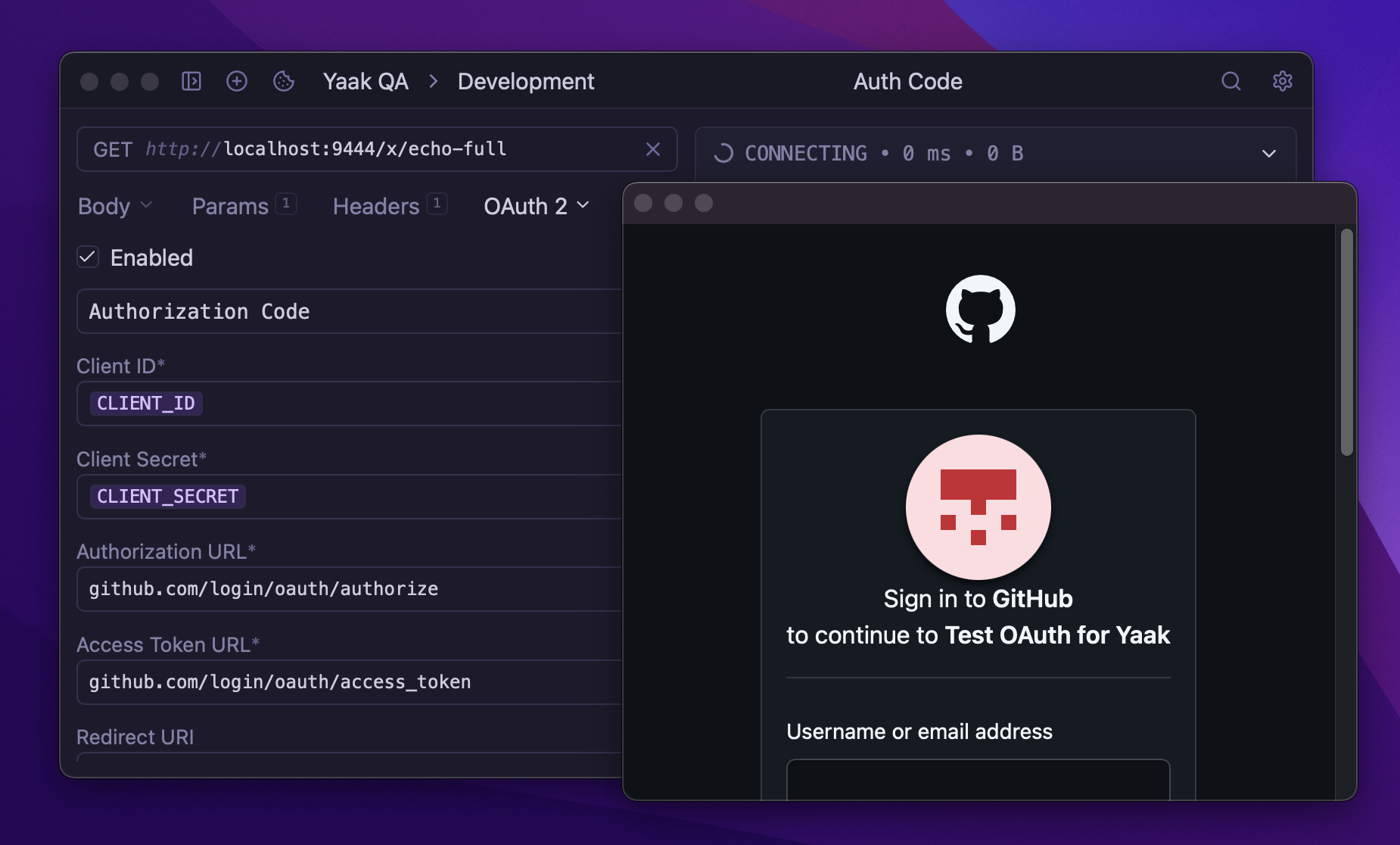
Authenticating with OAuth 2.0 opens a browser window for user login
Setting Up OAuth 2.0
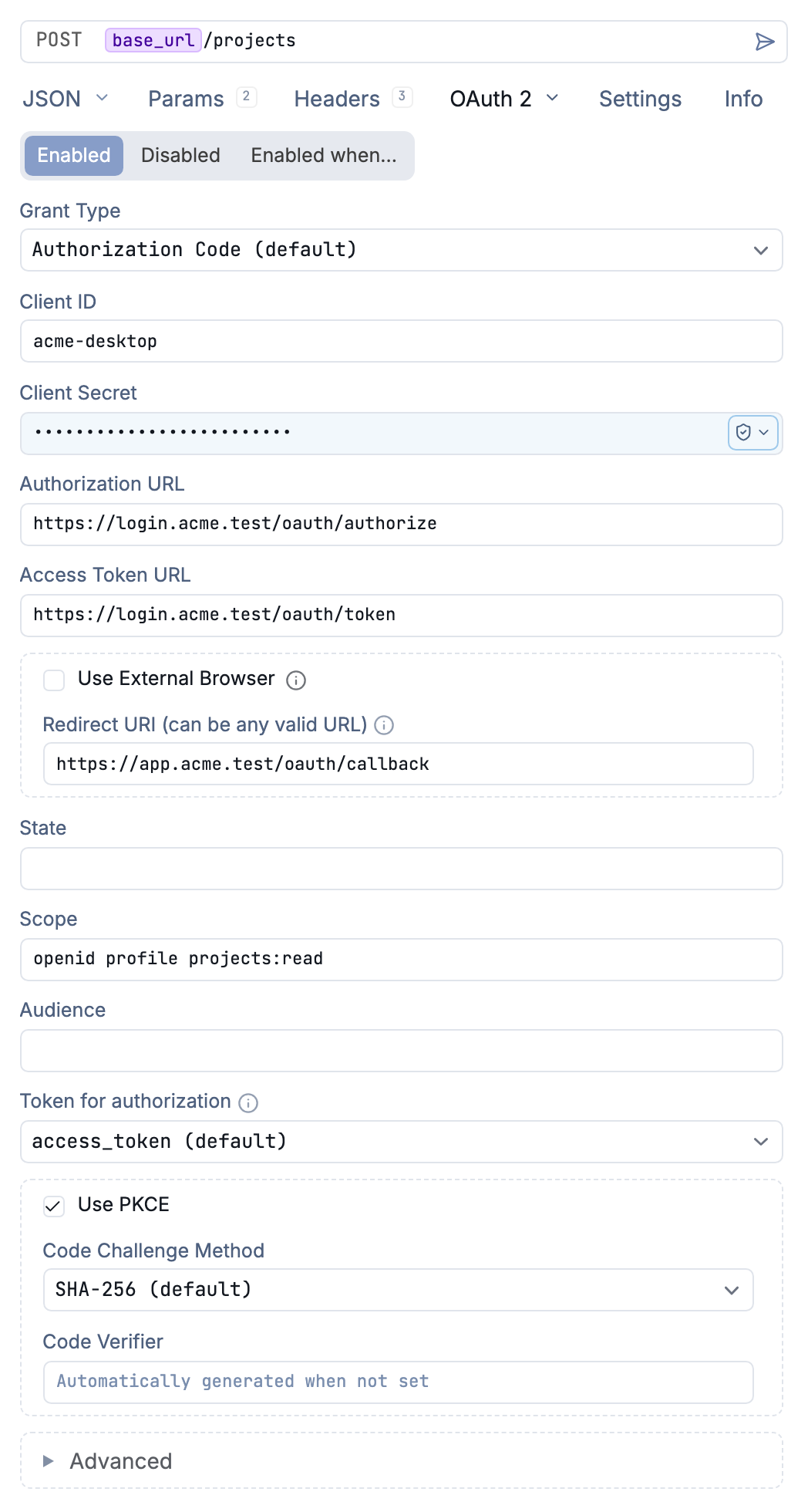
Configure Authorization Code authentication with PKCE
Select OAuth 2.0 from the Auth dropdown in any request, folder, or workspace settings. Yaak supports four grant types:
- Authorization Code - Redirects to the provider for login, with optional PKCE.
- Implicit - Legacy flow, returns token directly in redirect URL.
- Client Credentials - Machine-to-machine authentication without user interaction.
- Resource Owner Password Credential - Sends a username and password to the token endpoint.
Authorization Code Flow
The Authorization Code flow is the most common OAuth 2.0 implementation. Configure these fields:
| Field | Description |
|---|---|
| Authorization URL | Provider’s authorization endpoint (e.g., https://accounts.google.com/o/oauth2/auth) |
| Access Token URL | Provider’s token endpoint (e.g., https://oauth2.googleapis.com/token) |
| Client ID | Your application’s client identifier |
| Client Secret | Your application’s secret (keep this secure) |
| Redirect URI | Callback URL registered with your OAuth provider |
| Scope | Space-separated list of permissions (e.g., openid profile email) |
Send the request to start the flow. Yaak opens a browser window where you authenticate with the provider. After successful login, Yaak captures the authorization code and exchanges it for access and refresh tokens.
PKCE (Proof Key for Code Exchange)
PKCE adds security to the Authorization Code flow by preventing authorization code interception attacks. Enable Use PKCE in the OAuth configuration. The Code Challenge Method defaults to SHA-256; leave Code Verifier empty for Yaak to generate it automatically.
PKCE is recommended for:
- Public clients (desktop/mobile apps)
- Single-page applications
- Any scenario where the client secret cannot be kept confidential
Implicit Flow
The Implicit flow returns the access token directly in the redirect URL without an intermediate authorization code. This flow is considered legacy and less secure than Authorization Code with PKCE.
Configure the same fields as Authorization Code, minus the Token URL and Client Secret. Tokens are returned immediately after user authorization.
Client Credentials Flow
Use Client Credentials for server-to-server authentication where no user interaction is needed:
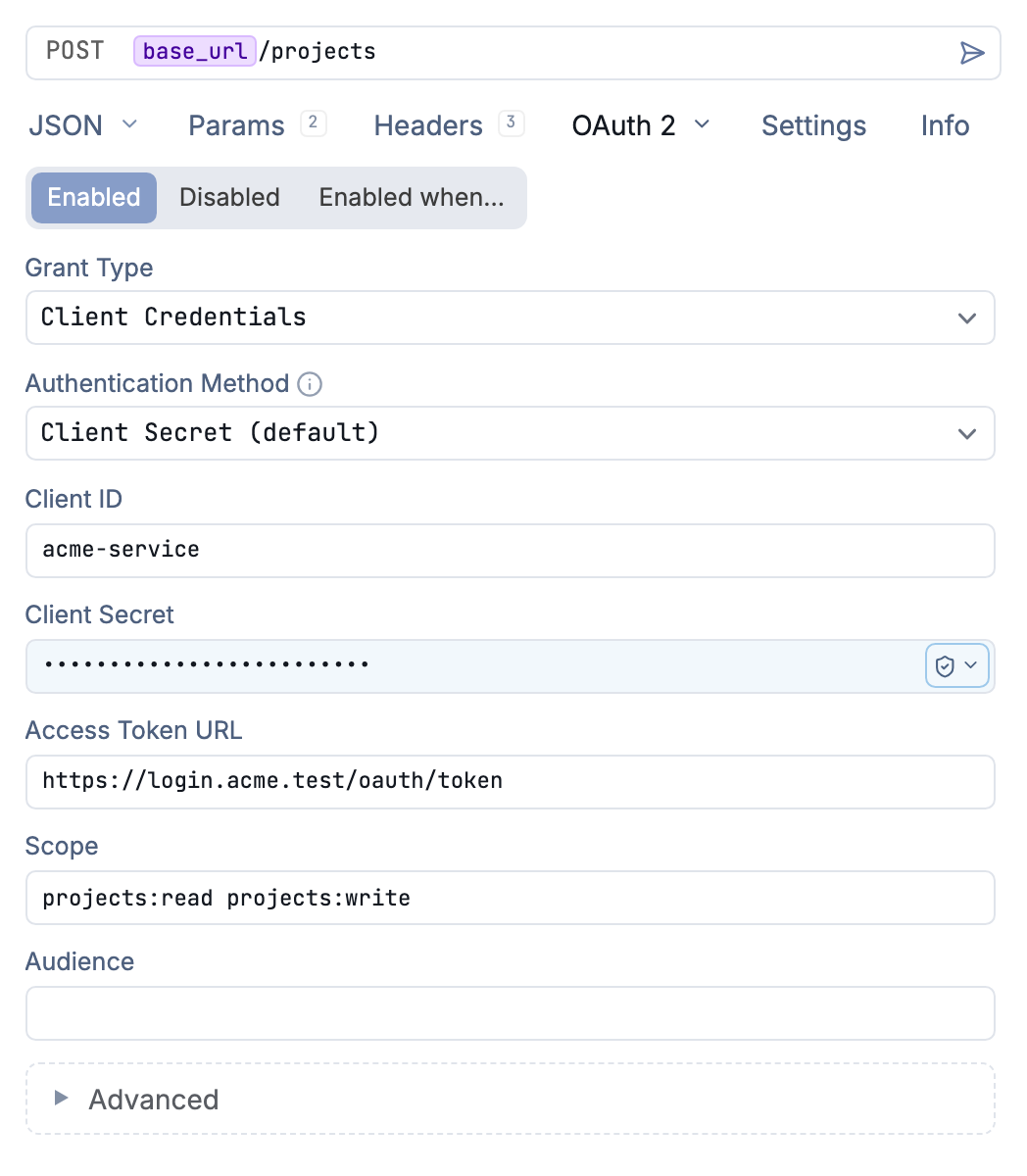
Client Credentials uses a token endpoint without a browser login or callback
| Field | Description |
|---|---|
| Access Token URL | Provider’s token endpoint |
| Client ID | Your application’s client identifier |
| Client Secret | Your application’s secret |
| Scope | Required permissions |
Send the request to obtain an access token directly from the token endpoint.
Advanced Options
Expand the Advanced section for additional configuration:
- Audience - Resource server identifier (required by some providers like Auth0)
- Token Prefix - Customize the Authorization header prefix (default:
Bearer) - Credentials in Body - Send client credentials in request body instead of Basic Auth header
- ID Token - Use the ID token instead of access token for authentication (common with OpenID Connect)
All fields support template variables, so you can use environment-specific values:
Authorization URL: ${[ OAUTH_AUTH_URL ]}
Client ID: ${[ OAUTH_CLIENT_ID ]}
Token Management
Once authenticated, Yaak stores your tokens securely. The token status appears below the configuration:
- Access Token - Current token used for requests
- Refresh Token - Used to obtain new access tokens (if provided)
- Expiration - When the current access token expires
Yaak automatically refreshes expired tokens when you send a request. To force a new token or clear the session, click Clear Session in the OAuth configuration panel.
Using OAuth with Folders and Workspaces
Configure OAuth 2.0 at the folder or workspace level to share authentication across multiple requests. All child requests inherit the OAuth configuration automatically.
This is useful when:
- All requests to an API use the same OAuth provider
- You want to authenticate once and reuse tokens across requests
- Different folders connect to different OAuth-protected services
See Request Inheritance for more details.
Troubleshooting
Token refresh fails: Some providers return different error codes. Yaak handles standard 4XX responses during refresh. Check that your refresh token hasn’t expired or been revoked.
Redirect URL mismatch: Ensure the redirect URL in Yaak matches exactly what’s registered with your OAuth provider, including trailing slashes.
PKCE flow not working: Verify your provider supports PKCE. Some older OAuth implementations don’t support the code_challenge parameter.
Debugging OAuth flows: Enable extra logging in Settings to see detailed OAuth window navigation events.
Tips
- Use PKCE whenever possible for better security
- Store secrets in environment variables to avoid committing them to version control
- Configure at folder level to share OAuth across related requests
- Check token expiration if requests suddenly fail with 401 errors
Was this helpful?