
Basic Authentication
Authenticate requests with username and password credentials
Basic Authentication is one of the simplest and most widely supported authentication methods. Yaak encodes your credentials and adds them to requests automatically.
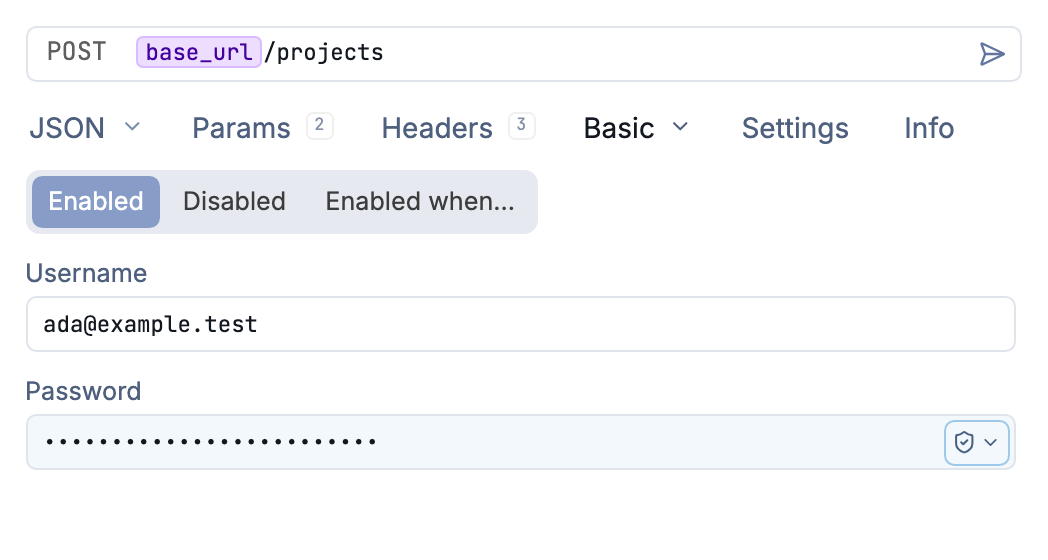
Basic authentication with a username and masked password
How It Works
Basic Auth encodes your username and password using Base64 and sends them in the Authorization header:
Authorization: Basic <base64-encoded-credentials>
The encoded value is username:password in Base64 format. Yaak handles this encoding automatically.
Configuration
Select Basic Auth from the Auth dropdown in any request, folder, or workspace settings. Enter two fields:
| Field | Description |
|---|---|
| Username | Your username or user identifier |
| Password | Your password or authentication token |
Both fields support template variables, so you can use environment-specific credentials:
Username: ${[ API_USER ]}
Password: ${[ API_PASSWORD ]}
Usage
- Select Basic Auth from the Auth dropdown
- Enter your username and password
- Send your request—Yaak adds the
Authorizationheader automatically
The credentials are sent with every request. For APIs requiring authentication on specific endpoints only, configure auth at the request level rather than folder or workspace level.
Security Considerations
- Always use HTTPS when sending Basic Auth credentials to prevent interception
- Store credentials in environment variables rather than hardcoding them
- Use secrets encryption for sensitive passwords in shared workspaces
Basic Auth transmits credentials with every request, so ensure your connection is secure.
Troubleshooting
401 Unauthorized
- Verify your username and password are correct
- Check if the API expects a specific username format (email, user ID, etc.)
403 Forbidden
- Your credentials are valid but lack permission for this resource
- Contact your API administrator about access rights
Connection Issues
- Ensure you’re using HTTPS for secure transmission
- Check if the server requires additional headers
Was this helpful?