
Migrate from Bruno
Import Bruno collections into Yaak, including folders, environments, and authentication
Moving from Bruno to Yaak? Yaak 2026.9.0 and later import Bruno collections directly. Select the collection folder on disk, or a collection exported from Bruno, and Yaak converts its folders, requests, environments, and authentication.
What gets imported
Yaak reads YAML (OpenCollection) collections and legacy .bru collections. It converts:
- Folders — Nested folders, ordering, descriptions, and folder headers and variables
- Environments — Each environment and its variables. An environment that extends another is flattened, since Yaak has one level of selectable environments
- HTTP and GraphQL requests — URLs, query and path parameters, headers, and bodies, including URL-encoded and multipart forms
- gRPC and WebSocket requests — URL, service and method or headers, and the selected message
- Authentication — Inherit, no auth, basic, bearer, digest, NTLM, API key, AWS Signature, OAuth 1.0, and OAuth 2.0
- Variables —
{{variable}}references are converted to Yaak template variables
What needs manual setup
The importer doesn’t run or convert scripts. These are kept in the description of each request or folder so you can move them by hand:
- Scripts, tests, assertions, and request-scoped variables
- Saved examples and advanced request settings
- Authentication configurations Yaak can’t map
Also check:
- Secret values — Bruno keeps secret environment values out of collection files, so they import empty. Re-enter them, and consider encrypting them.
- File paths — Multipart files, binary bodies, and gRPC proto files keep their paths but may need to be selected again.
- Collection settings — Dotenv files, external secret providers, client certificates, and proxy settings aren’t imported.
- Dynamic values — Expressions, dynamic variables like
{{$randomInt}}, andprocess.envreferences are left as written. Template functions can replace most of them.
Import into Yaak
- Open Import Data from Yaak’s main menu.
- Click folder and select your Bruno collection folder, the one that contains
bruno.jsonoropencollection.yml. You can also drop a ZIP or YAML export from Bruno’s Share menu, or a single.brurequest file. - Choose New Workspace, then Preview Import. Check the detected format and the requests, folders, and environments selected for import.
- Click Apply Changes (the button includes the number of changes), then Done.
Select each collection folder itself, not a folder that contains several collections. To bring in several collections, add each folder to the same import.
If direct import fails
If Yaak can’t read a collection, export it from Bruno as a Postman collection and import that file instead:
- In Bruno, click … beside the collection and choose Share
- Choose Postman Collection and save the JSON file
- Import the file into Yaak, following the Migrate from Postman guide
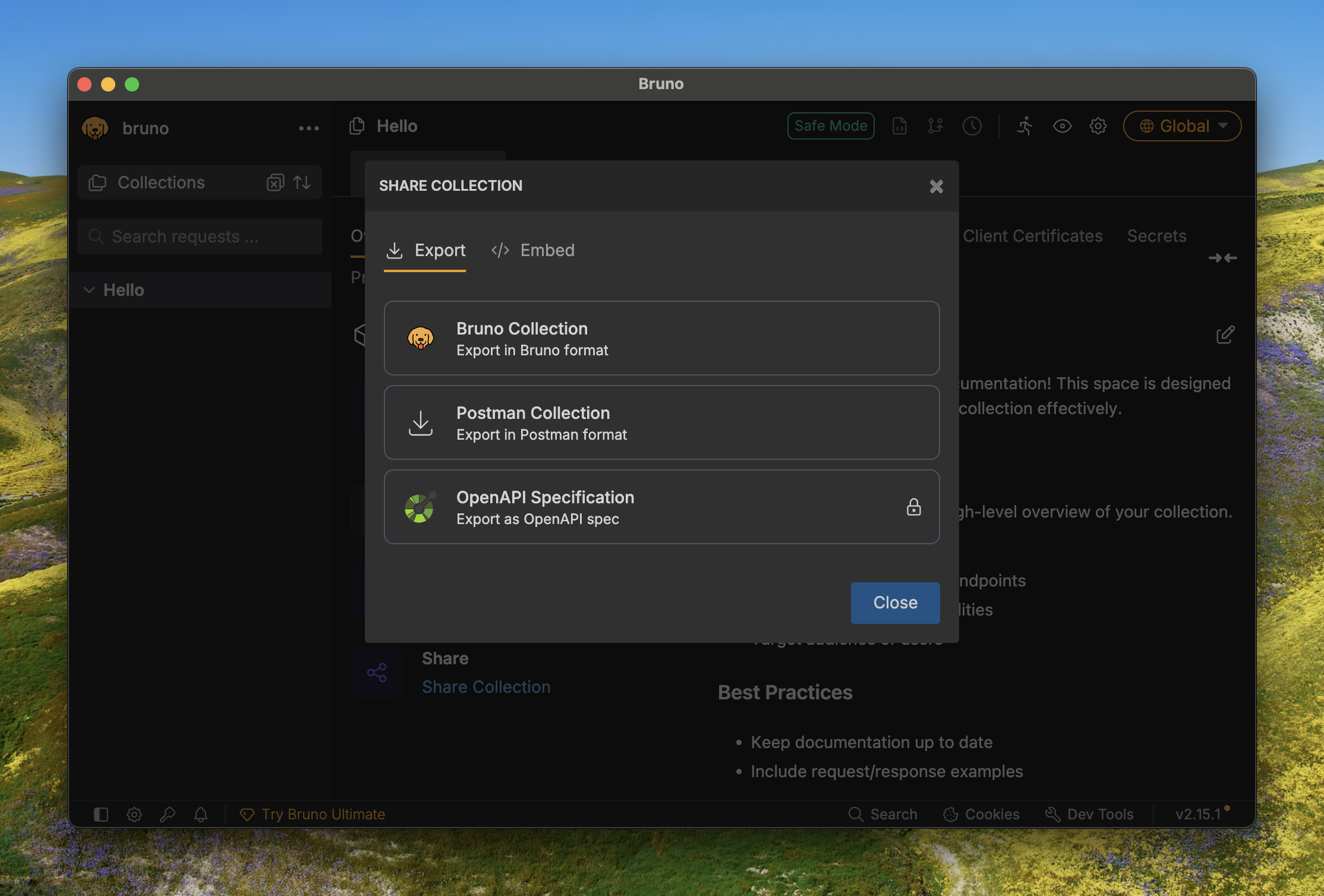
Export Postman format from Bruno Share dialog
After import
Once your data is imported:
- Check variables — Verify that your environments and variables transferred correctly
- Review authentication — Auth configurations should import, but some types may need manual setup
- Test requests — Send a few requests to confirm everything works
- Set up Git sync — Use directory sync to version control your workspace
Was this helpful?