
Single Sign-On
Let organization members sign in through your identity provider
Single sign-on (SSO) lets members authenticate with an identity provider before accessing your Yaak organization.
Yaak supports OpenID Connect (OIDC) for SSO with providers like Okta, Microsoft Entra ID, OneLogin, and other OIDC-compatible identity providers. With SSO, it is possible to use the following provisioning strategies:
- Manually add-remove members via email invitations
- Add members when they sign in using OIDC
- Add/remove members with SCIM provisioning
Get the SSO settings from Yaak
- Open the Yaak Web Dashboard.
- Select your organization.
- Open the Settings page.
- Expand Single Sign-On.
- Copy the Redirect URI.
- After saving OIDC settings, copy the SSO Login URL if you want to share or bookmark the organization sign-in link.
The redirect URI is unique to your organization. It must match the redirect URI configured in your identity provider exactly.
Configure your identity provider
Create or edit an OpenID Connect app integration in your identity provider.
Use these settings:
| Field | Value |
|---|---|
| Sign-in method | OIDC - OpenID Connect |
| Application type | Web Application |
| Grant type | Authorization Code (Bearer) |
| Sign-in redirect URI | The Redirect URI shown in Yaak |
Assign the same users or groups that should have access to the Yaak organization.
Find your issuer URL
Yaak needs the issuer URL, client ID, and client secret from your identity provider.
The issuer URL is often the base tenant or organization URL:
https://{yourProviderDomain}
Use the issuer value from your provider’s OpenID Provider Metadata when available. The
metadata URL should return JSON and include an issuer field. Copy that value exactly.
Save the SSO settings in Yaak
In Yaak’s Single Sign-On panel, enter:
| Field | Value |
|---|---|
| Issuer URL | The identity provider issuer URL |
| Client ID | The identity provider client ID |
| Client Secret | The identity provider client secret |
Save the settings, then start the sign-in flow from the SSO Login URL.
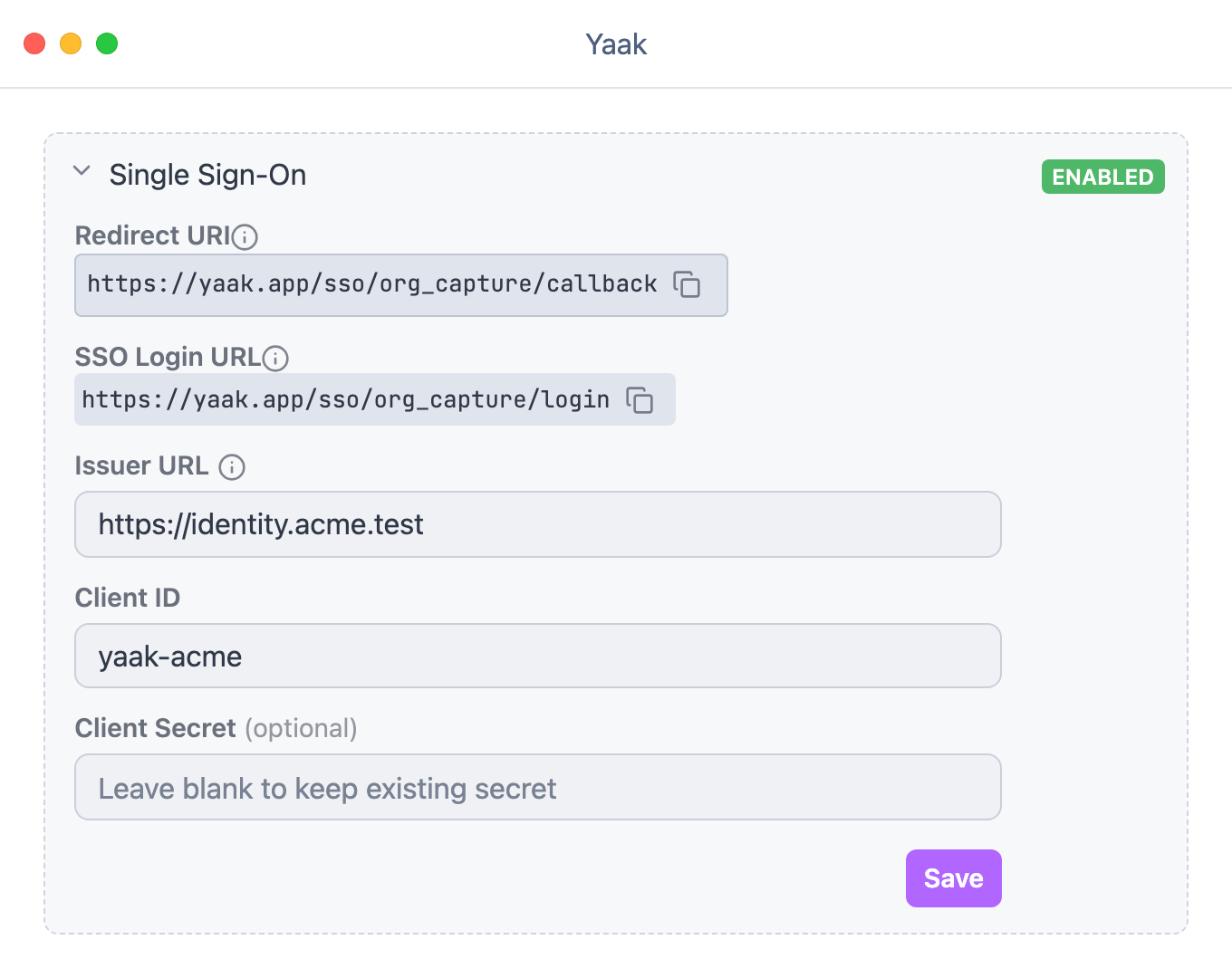
Configure OIDC issuer and client credentials for an organization.
Choose a provisioning method
After OIDC is configured, choose a provisioning method in User Provisioning.
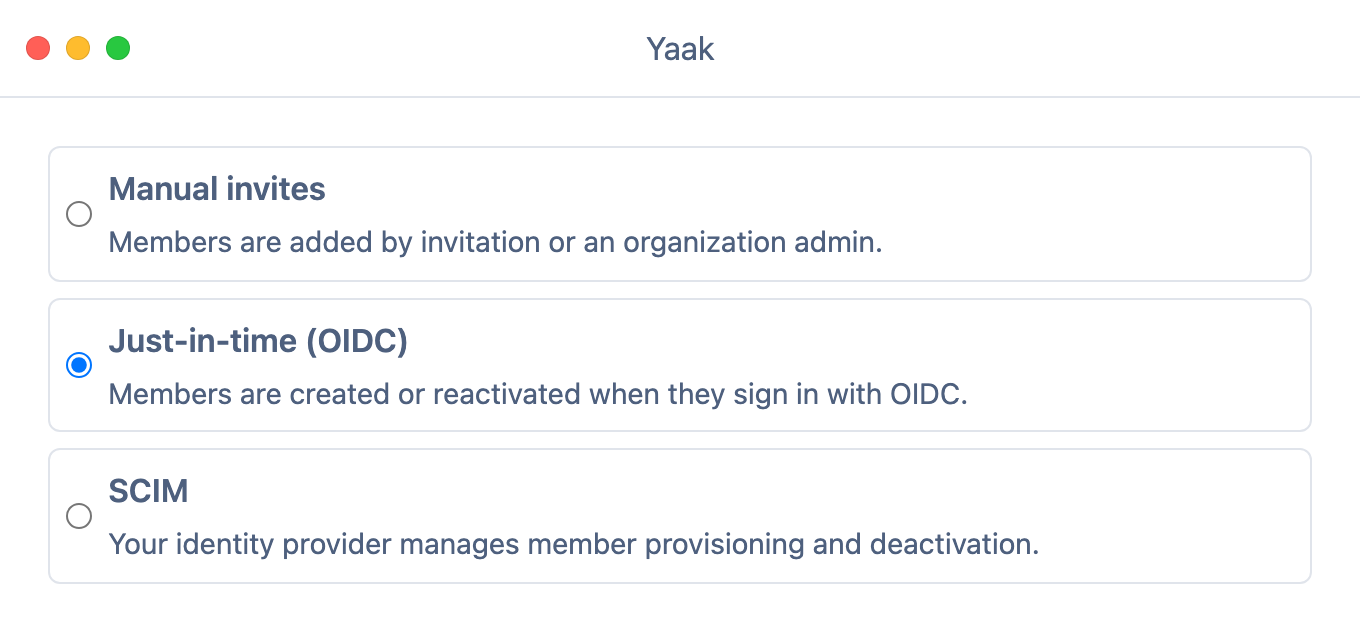
Users can be provisioned manually, automatically when they sign in, or through SCIM.
| Method | Behavior |
|---|---|
| Manual invites | Owners and Admins add members from Yaak. OIDC sign-in works only for existing active members. |
| Just-in-time (OIDC) | Assigned users are created or reactivated as Members when they sign in with OIDC. |
| SCIM | Your identity provider creates, updates, and deactivates members through SCIM. |
OIDC always verifies the user’s identity through your identity provider. Yaak still checks that the authenticated user is an active member of the organization before allowing access. In JIT mode, Yaak can create or reactivate that membership during OIDC sign-in. In SCIM mode, membership should be managed through your identity provider’s SCIM integration.
Was this helpful?