
Generating Fake Data
Generate realistic fake data for testing with FakerJS
Faker provides template functions for generating realistic fake data using FakerJS. Use it to create dynamic test data like names, emails, addresses, and more.
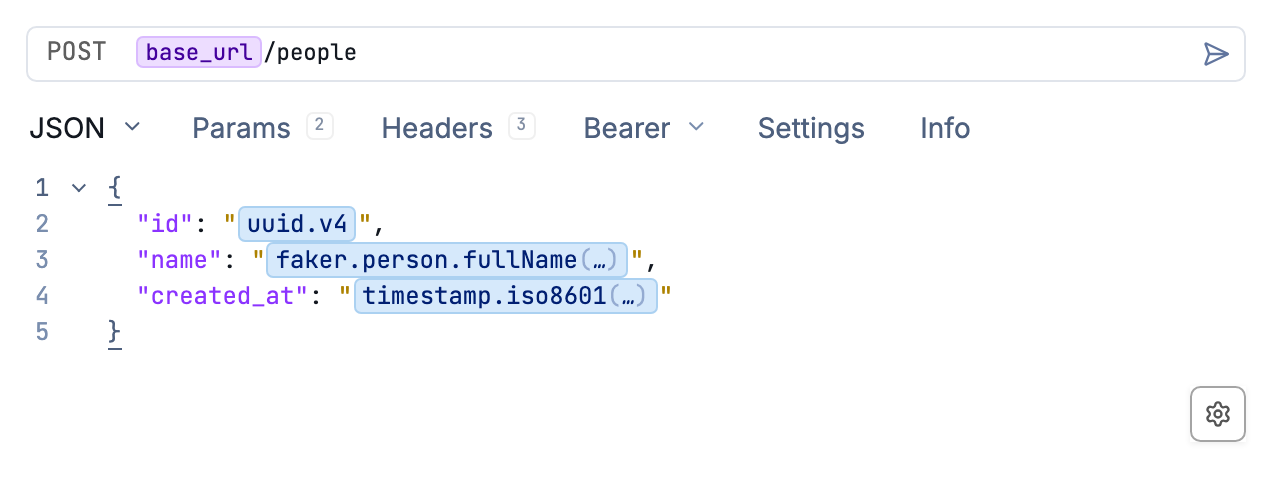
Generate fake data directly in your requests
Installing the Faker Plugin
Faker is available as a plugin. To install it:
- Go to yaak.app/plugins/@yaak/faker and click Install, or
- Open Settings > Plugins in Yaak and search for “Faker”
Using Faker Functions
Once installed, Faker functions are available anywhere Yaak supports template syntax. Type faker. or use Control+Space to trigger autocomplete and browse available functions.
The syntax follows the pattern:
${[ faker.<category>.<method>() ]}
For example:
${[ faker.person.fullName() ]}generates a random full name${[ faker.internet.email() ]}generates a random email address${[ faker.string.uuid() ]}generates a random UUID
Passing Arguments
Many Faker functions accept arguments to customize the output. Click on any Faker template tag to open the configuration dialog, where you can pass arguments as JSON.
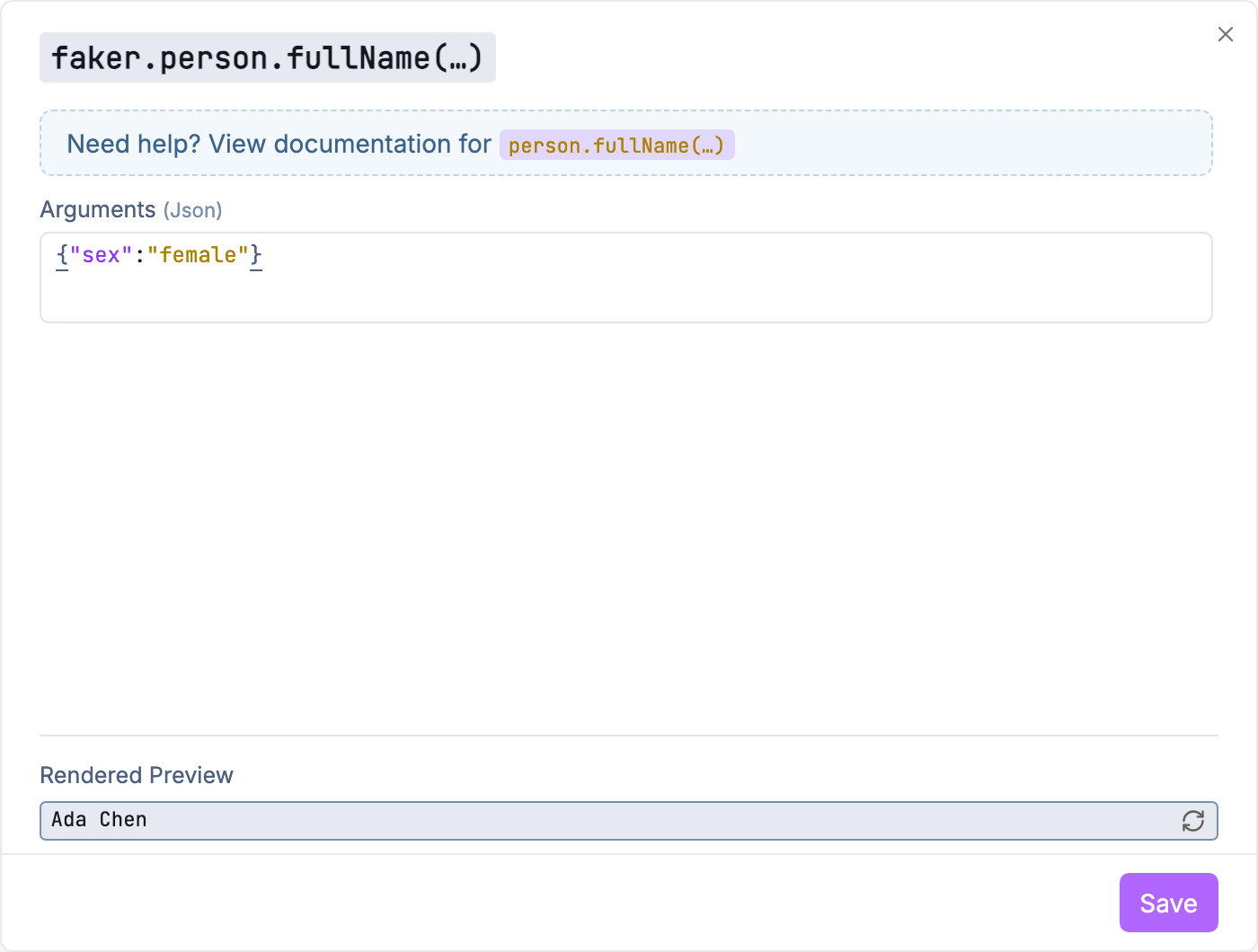
Click a Faker tag to configure arguments
Arguments can be passed in three formats:
Object - Most Faker functions accept an options object:
{"protocol": "http"}
Array - For functions with multiple positional arguments:
["en", "US"]
Scalar - For simple single-value arguments:
10
The dialog includes a link to the FakerJS documentation for each function and shows a live preview of the generated value.
Example: JSON Request Body
Here’s an example JSON body using Faker to generate test data:
{
  "id": "${[ faker.string.uuid() ]}",
  "name": "${[ faker.person.fullName() ]}",
  "email": "${[ faker.internet.email() ]}",
  "phone": "${[ faker.phone.number() ]}",
  "address": {
    "street": "${[ faker.location.streetAddress() ]}",
    "city": "${[ faker.location.city() ]}",
    "country": "${[ faker.location.country() ]}",
    "zipCode": "${[ faker.location.zipCode() ]}"
  },
  "company": "${[ faker.company.name() ]}",
  "website": "${[ faker.internet.url() ]}"
}
Each request generates fresh random data:
{
  "id": "589f0aec-7310-4bf2-81c4-0b1bb7f1c3c1",
  "name": "Lucy Gottlieb-Weissnat",
  "email": "Destiny_Herzog@gmail.com",
  "phone": "411.805.2871 x699",
  "address": {
    "street": "846 Christ Mills",
    "city": "Spencerfurt",
    "country": "United Kingdom",
    "zipCode": "20354"
  },
  "company": "Emard, Kohler and Rutherford",
  "website": "https://watery-detective.org"
}
Available Categories
The plugin provides access to all FakerJS modules:
| Category | Description | Example Methods |
|---|---|---|
airline |
Airline-related data | aircraftType, airline, airplane |
animal |
Animal names and types | bear, bird, cat, dog, fish |
color |
Colors in various formats | human, rgb, hex, hsl |
commerce |
E-commerce data | department, product, price |
company |
Company information | name, catchPhrase, bs |
database |
Database-related data | column, type, collation |
date |
Date and time values | recent, future, past, between |
finance |
Financial data | account, amount, currency |
git |
Git-related data | branch, commitEntry, commitSha |
hacker |
Tech/hacker terminology | abbreviation, noun, phrase |
image |
Image URLs and data | avatar, url, dataUri |
internet |
Internet-related data | email, url, ip, userAgent |
location |
Geographic data | city, country, latitude, longitude |
lorem |
Lorem ipsum text | word, sentence, paragraph |
music |
Music-related data | genre, songName, artist |
number |
Numeric data | int, float, binary, hex |
person |
Personal information | firstName, lastName, fullName |
phone |
Phone numbers | number, imei |
science |
Scientific data | chemicalElement, unit |
string |
String utilities | uuid, alpha, alphanumeric |
system |
System-related data | fileName, mimeType, fileExt |
vehicle |
Vehicle information | vehicle, manufacturer, model |
word |
Word generation | adjective, adverb, conjunction |
For the complete list of methods and options, see the FakerJS documentation.
Was this helpful?