
API Key Authentication
Authenticate requests with API keys in headers or query parameters
API Key authentication sends a key as a header or query parameter. Many APIs use this simple method for identifying and authorizing requests.
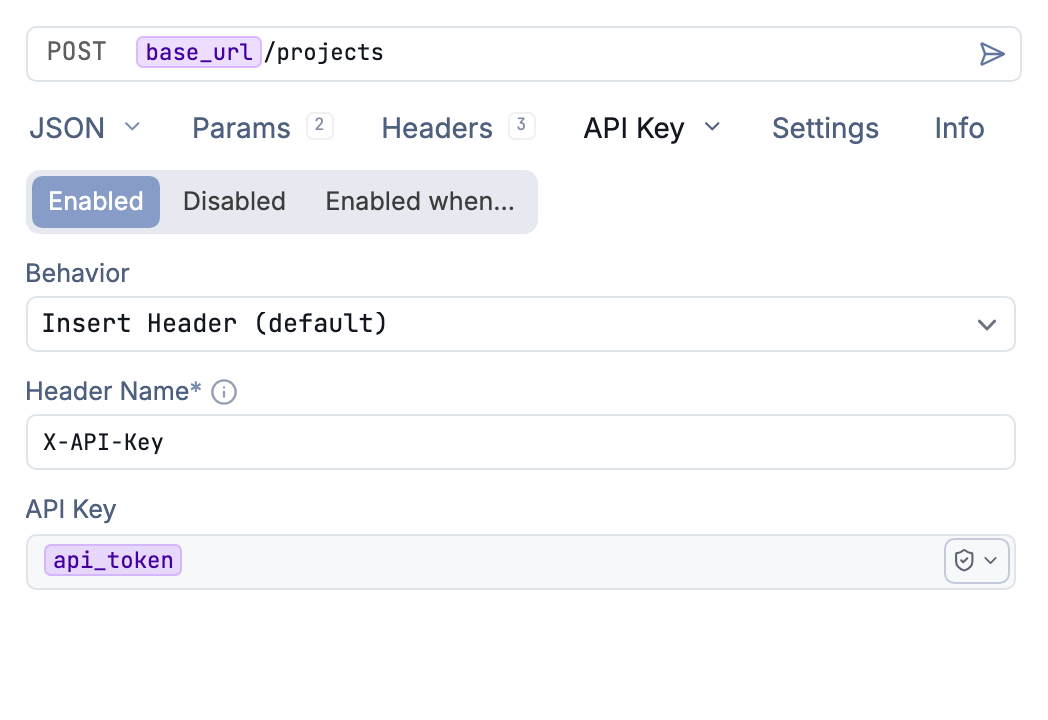
Send an API key in the X-API-Key header
How It Works
API Key auth adds your key to requests in one of two ways:
As a header:
X-API-Key: your-api-key-here
As a query parameter:
https://api.example.com/endpoint?api_key=your-api-key-here
Configuration
Select API Key from the Auth dropdown. Configure these fields:
| Field | Description |
|---|---|
| Header Name / Parameter Name | The header or parameter name (e.g., X-API-Key, api_key) |
| API Key | Your API key |
| Behavior | Where to send the key: Insert Header or Append Query Parameter |
Usage
- Select API Key from the Auth dropdown
- Enter the key name your API expects
- Paste your API key value
- Choose whether to send it as a header or query parameter
- Send your request
Common header names include:
X-API-KeyAuthorization(without Bearer prefix)Api-KeyX-Auth-Token
Common query parameter names include:
api_keyapikeykeytoken
Template Variables
Use environment variables to manage API keys across environments:
Value: ${[ API_KEY ]}
This keeps your production and development keys separate and secure.
API Key vs Bearer Token
Both send credentials with requests, but:
- API Key lets you customize the header/parameter name
- Bearer Token always uses
Authorization: Bearer <token>
Use API Key when your API expects a custom header name or query parameter. Use Bearer Token for standard OAuth-style authorization headers.
Troubleshooting
401 Unauthorized
- Verify your API key is valid and active
- Check if you’re using the correct header or parameter name
- Confirm the key hasn’t been revoked or expired
403 Forbidden
- Your key may lack permissions for this endpoint
- Check your API key’s scope or tier limitations
Key Not Recognized
- Try switching between header and query parameter
- Check the API documentation for the exact expected format
Was this helpful?