
Code Snippets
Generate code for any request in 21 languages
The HTTP Snippet plugin turns any HTTP request into working code — cURL, Python Requests, Go, fetch, and 17 other languages. Pick a language and a library, preview the result, and copy it.
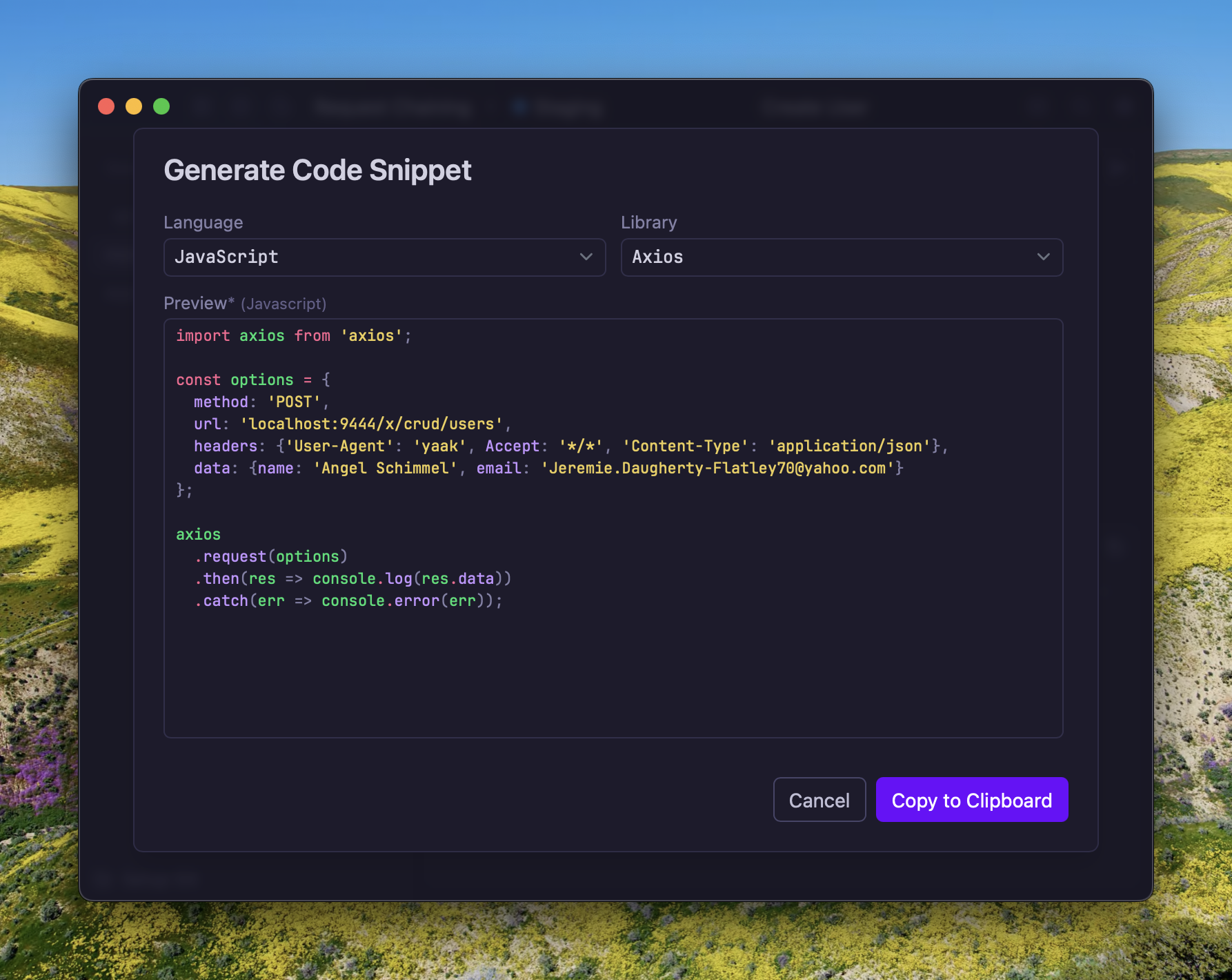
Choosing a language and library, with a live preview of the generated code
Installing the HTTP Snippet Plugin
HTTP Snippet is available as a plugin. To install it:
- Go to yaak.app/plugins/@yaak/httpsnippet and click Install, or
- Open Settings > Plugins in Yaak and search for “HTTP Snippet”
It requires Yaak 2026.2.0-beta.10 or later.
Generating a Snippet
Open the actions menu on any HTTP request and choose Generate Code Snippet. A dialog opens with three parts:
- Language — the target language
- Library — the HTTP client to use, which changes with the language
- Preview — the generated code, syntax highlighted and updated as selections change
Click Copy to Clipboard to take the snippet. The language and library are remembered, so the next request opens on the same selection.
Supported Languages
| Language | Libraries |
|---|---|
| C | Libcurl |
| C# | HttpClient, RestSharp |
| Clojure | clj-http |
| Crystal | http::client |
| Go | NewRequest |
| HTTP | HTTP/1.1 |
| Java | AsyncHttp, java.net.http, OkHttp, Unirest |
| JavaScript | XMLHttpRequest, Axios, fetch, jQuery |
| Kotlin | OkHttp |
| Node.js | HTTP, Axios, fetch |
| OCaml | CoHTTP |
| Objective-C | NSURLSession |
| PHP | cURL, Guzzle, HTTP v1, HTTP v2 |
| Powershell | Invoke-WebRequest, Invoke-RestMethod |
| Python | Requests |
| R | httr |
| Ruby | net::http, faraday |
| Rust | reqwest |
| Shell | cURL, HTTPie, Wget |
| Swift | URLSession |
There is also an Agent target, which produces a prompt describing the request rather than code, for handing to an AI coding agent.
Snippets Contain Real Values
The request is rendered exactly as it would be sent, so the snippet is runnable as-is. That means template variables are resolved to their values, and configured authentication is written out as a header — a bearer token, an API key, or a Basic credential appears in the generated code.
Check a snippet before pasting it into a shared document, a ticket, or a public issue. To share a request without credentials, switch to an environment that has placeholder values first.
Copying as cURL
For cURL specifically, Yaak has it built in with no plugin required. Open the actions menu on a request and choose Copy as Curl.
Related
- HTTP Requests — building the request in the first place
- Environments and Variables — what gets resolved into a snippet
- Plugins Quick Start — writing a plugin of your own
Was this helpful?