
Request Chaining (Scripting)
How to chain together multiple requests
TIP: Request chaining can usually be used in place of pre/post request scripts, which Yaak does not currently support
When working with APIs, there are often dependencies between requests. For example, you might POST /users to create a new user, then PATCH /users/<id> to update the user’s email address.
So how do you get the ID of the created user into the update? Request chaining is the way.
Just like how environment variables allow referencing values across requests, the new response.*(…) functions allow a request like PATCH /users/<id> to directly reference the id from the response body of POST /users. Here’s how.
Request Chaining Basics
Step 1 → Select the response() function from the autocomplete menu (Ctrl+Space) in any text field.
Step 2 → Once inserted, click the blue template tag to configure the function.
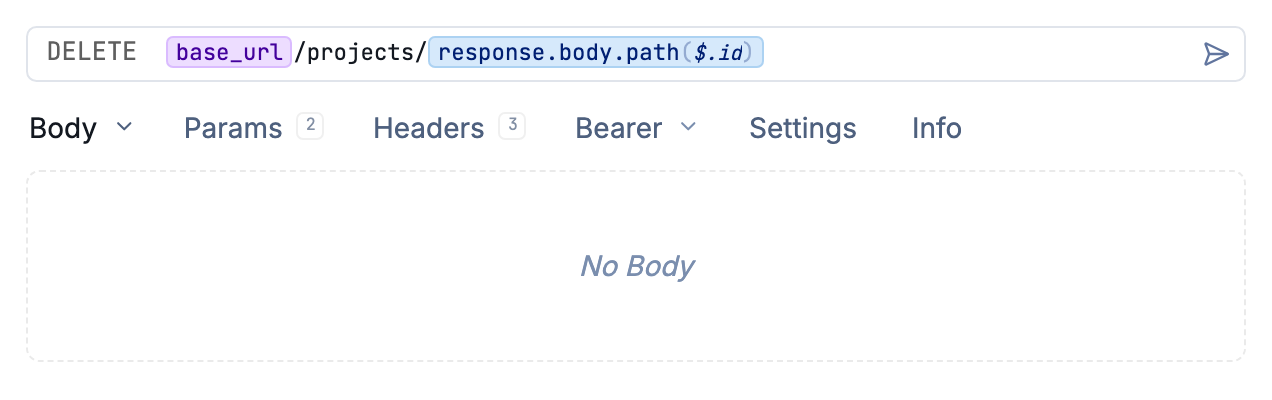
Use the ID from a saved response in another request URL.
Step 3 → Select the request you want to reference.
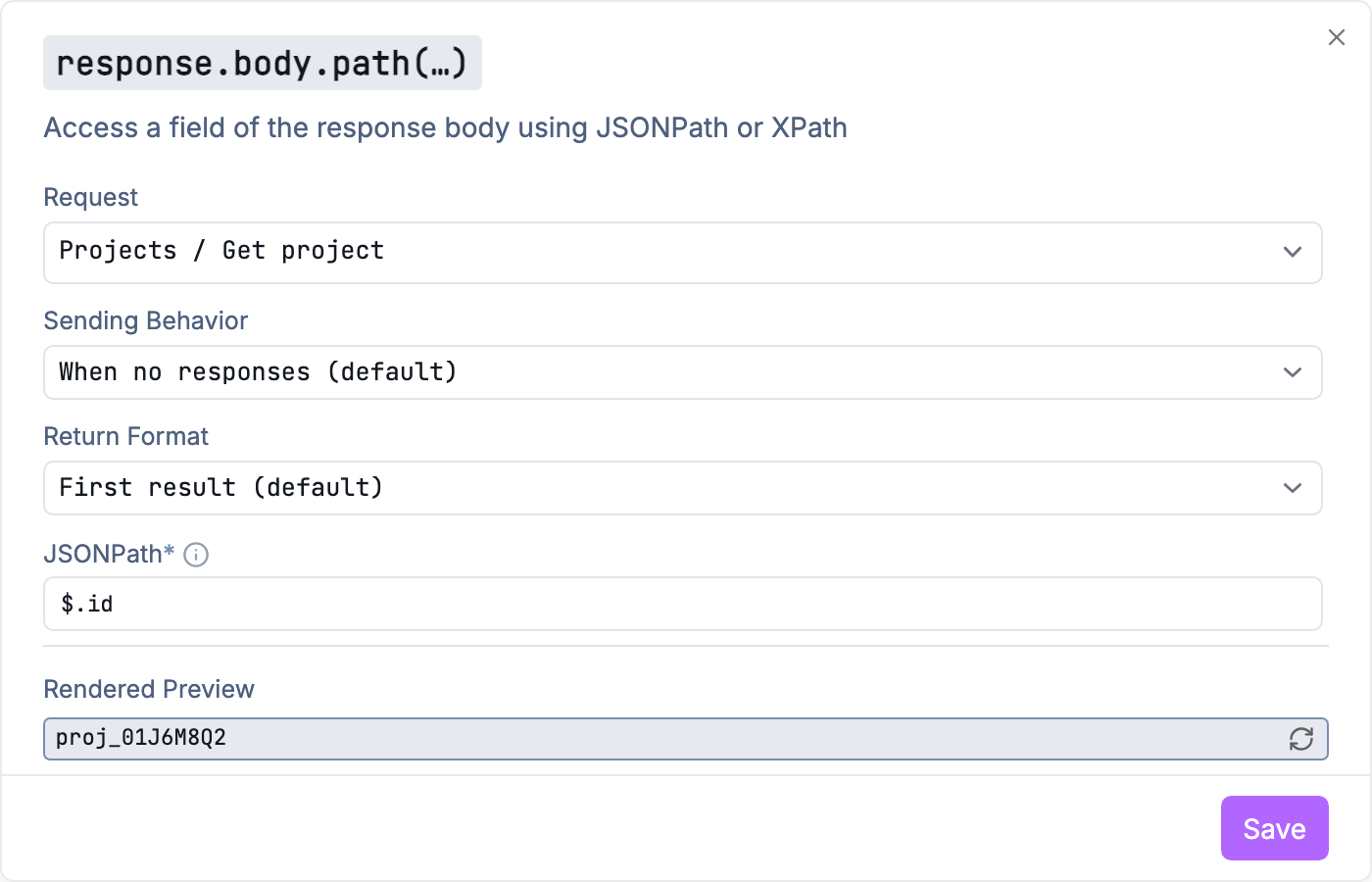
Choose a source request, sending behavior, and JSONPath for a chained value.
Step 4 → Enter either a JSONPath or XPath query to select just the value you want.
Step 5 → Send the request!
Sending the request will render the template and inject the referenced value – just like using regular variables. If no response exists yet for that request, it will be sent automatically.
Multiple References Using Environments
What if you want to use the response() tag from above in multiple requests? Simply define the tag in an environment variable and reference the variable multiple times.
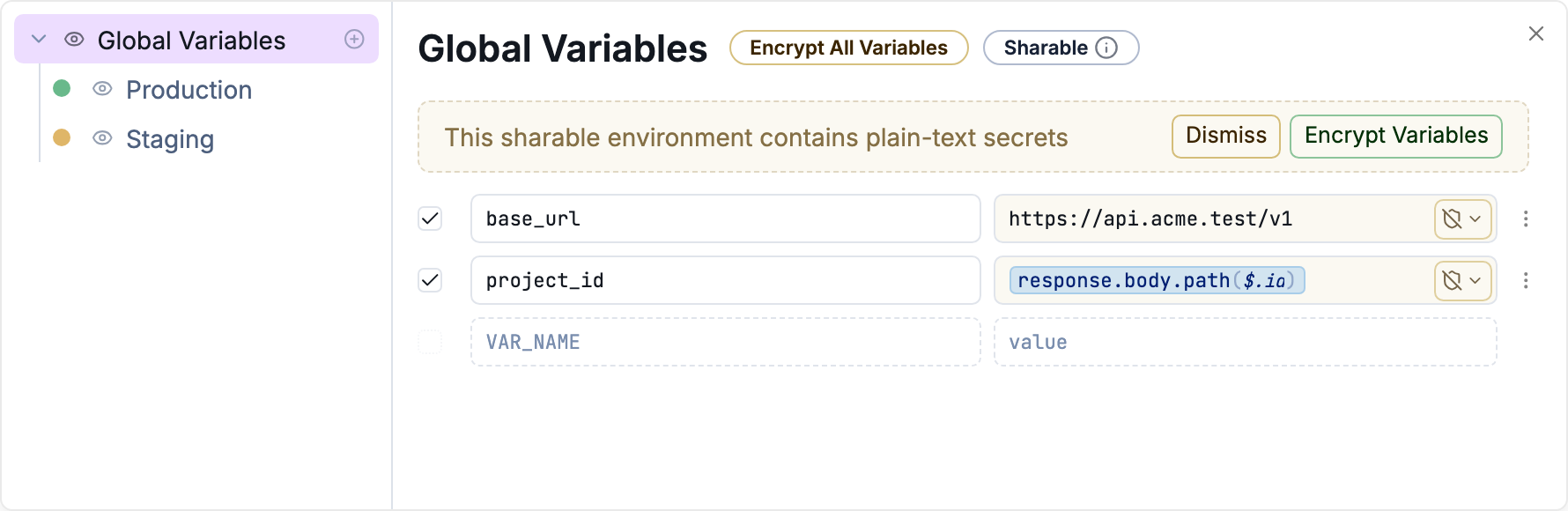
Store a response function in an environment variable for reuse.
And that’s it! Once you have the response tag defined as an environment variable, it can be used just like any other variable.
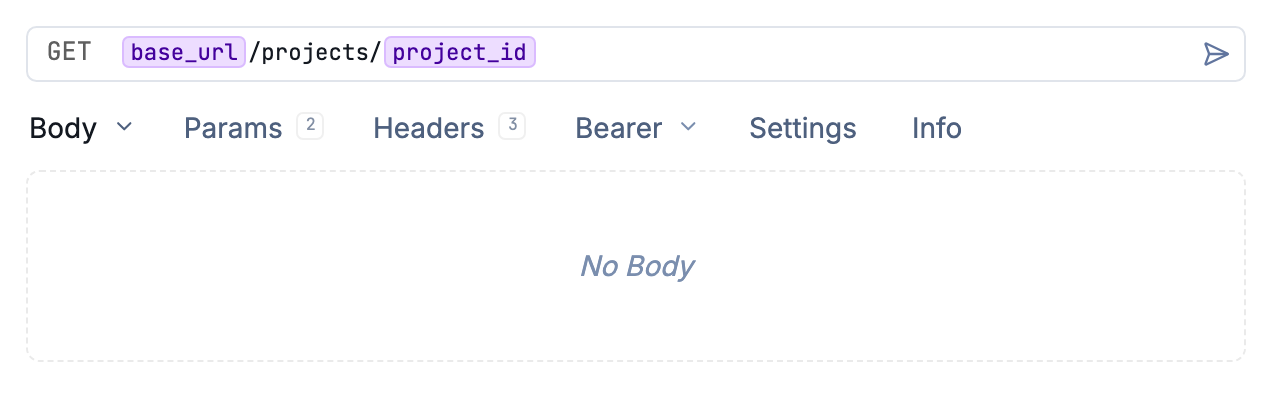
Reference a response-backed environment variable in another request.
Was this helpful?