
Proxy Configuration
Route requests through HTTP proxies with authentication and bypass rules
Yaak can route HTTP and GraphQL requests through a proxy server, useful for corporate networks, debugging traffic, or accessing internal APIs. Proxy settings do not currently apply to WebSocket or gRPC connections.
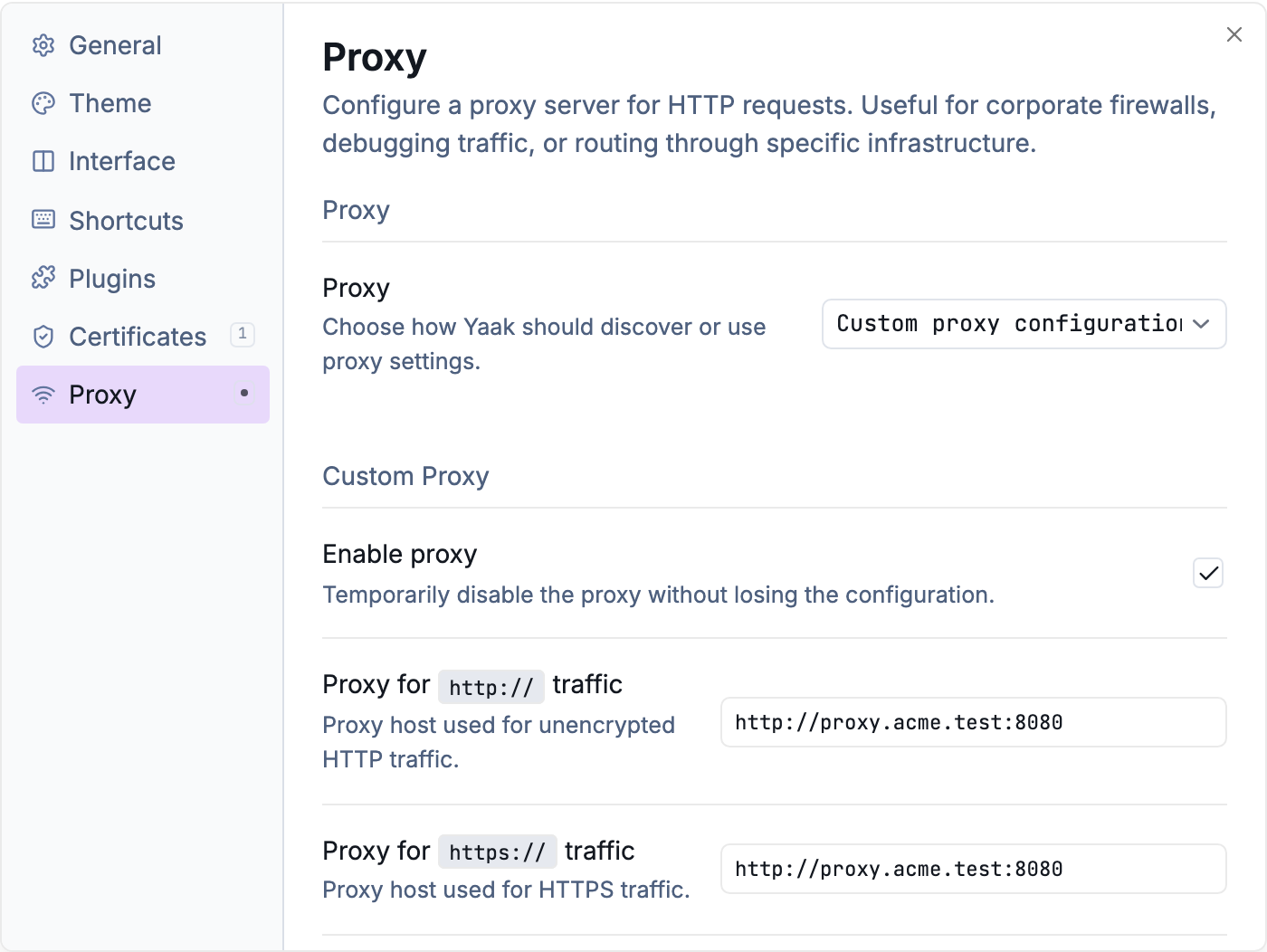
Configure proxy from Settings > Proxy
Proxy Modes
Open Settings > Proxy to configure proxy behavior. Three modes are available:
Automatic proxy detection (default) — Uses your operating system’s proxy settings. This works with corporate firewalls and system-wide proxy configurations.
Custom proxy configuration — Specify proxy servers manually for HTTP and HTTPS traffic.
No proxy — Disables all proxy usage, bypassing system settings.
Custom Proxy Configuration
When using custom configuration, you can set separate proxies for HTTP and HTTPS traffic:
- HTTP Proxy — Routes
http://requests (e.g.,localhost:9090) - HTTPS Proxy — Routes
https://requests (e.g.,localhost:9090)
Leave either field empty to use no proxy for that protocol.
The Enable proxy checkbox lets you temporarily disable the proxy without losing your configuration.
Proxy Authentication
If your proxy requires authentication, enable the authentication option and enter your credentials:
- User — Proxy username
- Password — Proxy password
Credentials are sent using HTTP Basic Authentication with each proxied request.
Bypass Rules
The Proxy Bypass field accepts a comma-separated list of hosts that should connect directly, bypassing the proxy.
Supported patterns:
| Pattern | Example | Matches |
|---|---|---|
| IP address | 127.0.0.1 |
Exact IP |
| Hostname | localhost |
Exact hostname |
| Wildcard | *.example.com |
All subdomains |
| With port | localhost:3000 |
Specific host and port |
Example bypass list:
127.0.0.1, localhost, *.internal.company.com
Scope
Proxy settings are global — they apply to all workspaces and requests. There is no per-workspace proxy configuration.
Supported Protocols
Yaak supports HTTP, HTTPS, and SOCKS5 proxies.
Proxy URL examples:
- HTTP proxy:
http://proxy.example.com:8080 - HTTPS proxy:
https://proxy.example.com:8080 - SOCKS5 proxy:
socks5://localhost:1080
For HTTPS requests through an HTTP proxy, Yaak uses the HTTP CONNECT method to establish a tunnel.
Tips
- Use bypass rules for localhost development servers to avoid routing local traffic through a proxy
- The proxy configuration persists when disabled, so you can toggle it on and off without re-entering settings
- Invalid proxy URLs are silently ignored — if requests aren’t routing through your proxy, check the URL format
Was this helpful?