
UI misbehaving
Bug
Hello Gregory,
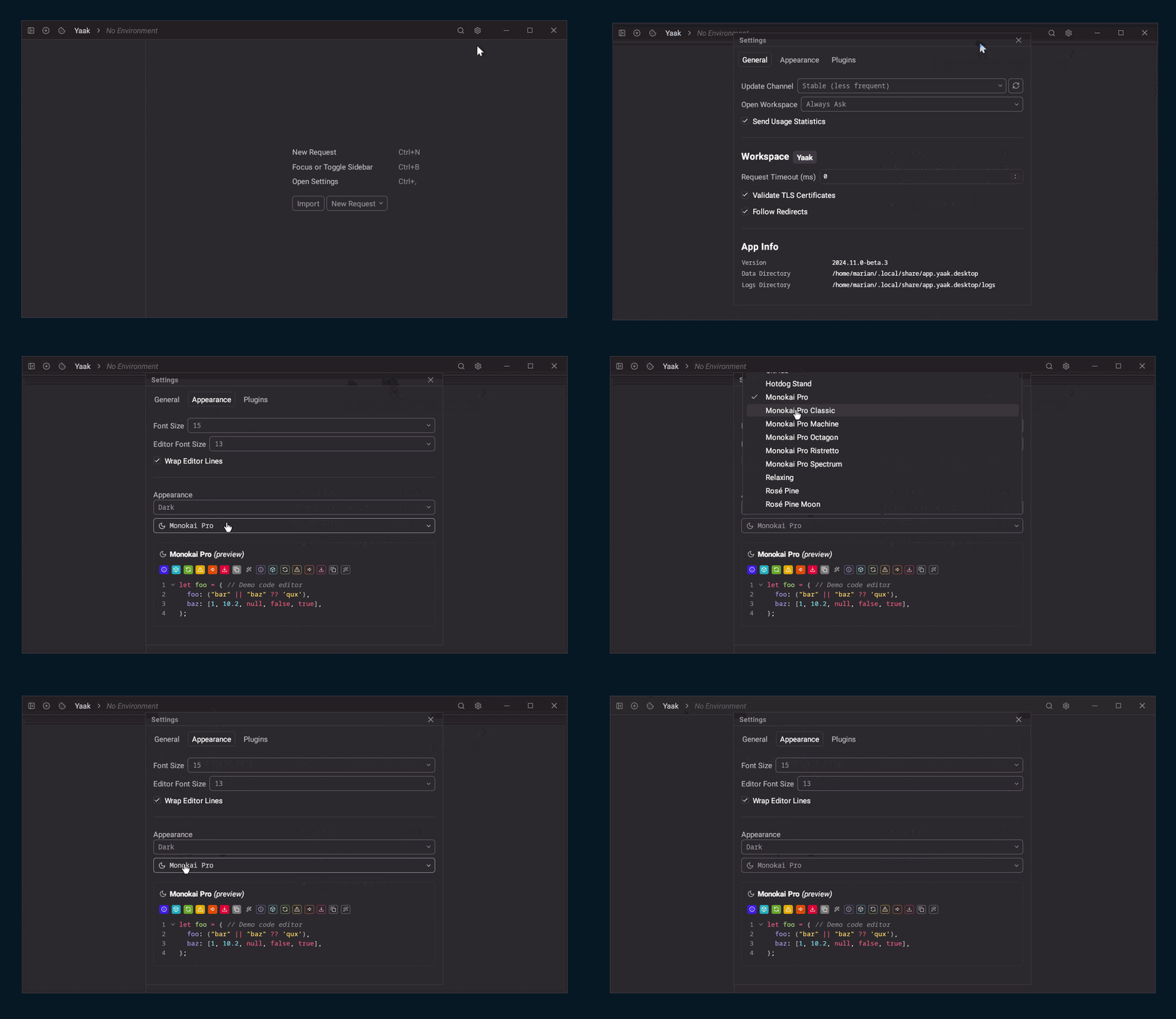
The new beta (2024.11.0-beta.3 on Linux) brings out a series of “surprises”:
the title bar of the Settings windows is “transparent” to the clicks
the themes drop-down lost the ability to scroll
the drop-down that selects the Appearance will not react to clicks on Automatic and choosing Dark or Light applies the selection but the current items does not change
Could it be that the new Tauri iteration has introduced some unexpected changes ?
Hopefully it will not be a PITA to identify and fix the culprit !
Best regards !
Oh wow, that’s very odd. I did upgrade to the Tauri 2.0 stable release so that may be it. I will make sure to look at it for the next release.
Note that I’m on holiday for the next week so you may want to downgrade for now.
Okay, the dropdown thing is my fault, but the theme not updating appears to be related to a recent bug with Tauri events on Linux https://github.com/tauri-apps/tauri/issues/11171
Fixed the dropdown scroll issue: https://github.com/yaakapp/app/commit/4b7712df80f0fd3c1486ca71c18978f55880f641
Tested with beta6 - changing the appearance is applied only to the main window and the lists are not updated.
It seems Tauri is working on this bug as we speak, so I just turned the settings window back into a modal dialog for Linux. About to ship another beta with the fix
Now the lists are showing the correct selection. Thanks for fixing it !
The settings window is now centered in the main window (occupying the whole area available) and cannot be moved (due to the bug in Tauri, I suppose), but I’m not too bothered by it.
https://yaak.app/blog/2024.11.0-beta.7
Tauri has fixed this issue, so it is now working again in Beta 9 https://yaak.app/blog/2024.11.0-beta.9
https://yaak.app/blog/2024.11.0