
Not showing arrow cursor to resize window

Bug
I saw similar posts, but they are more than 3 years old and Windows-related. When I try to resize the window, the cursor doesn’t change to indicate resizing horizontally, vertically, or diagonally:
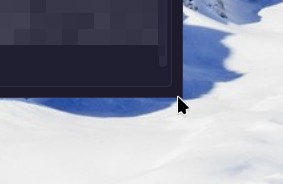
It is still there; if I click blindly and hold, I can see the cursor and resize, but since the area is small, it takes several attempts to hit it right, and many times I end up hitting the window below and lose focus, needing to start all over again. It’s not the end of the world but it ends up being annoying.
Leave some OS details below:
Operating System: Arch Linux KDE Plasma Version: 6.6.5 KDE Frameworks Version: 6.26.0 Qt Version: 6.11.1 Kernel Version: 7.0.10 (64-bit) Graphics Platform: X11
Linux2026.4.0
This comes from Tauri’s handling of windows without native decorations on Linux. Enabling Settings → Interface → Native title bar should give normal resize cursors and edges as a workaround.
Native title bar- I don’t have this option. I haveHide window controlsoption only, and it doesn’t helps.Same issue, Fedora 44, Gnome 50, Wayland.