Update Behavior UX modification for Automatic or Manual download of updates
Howdy,
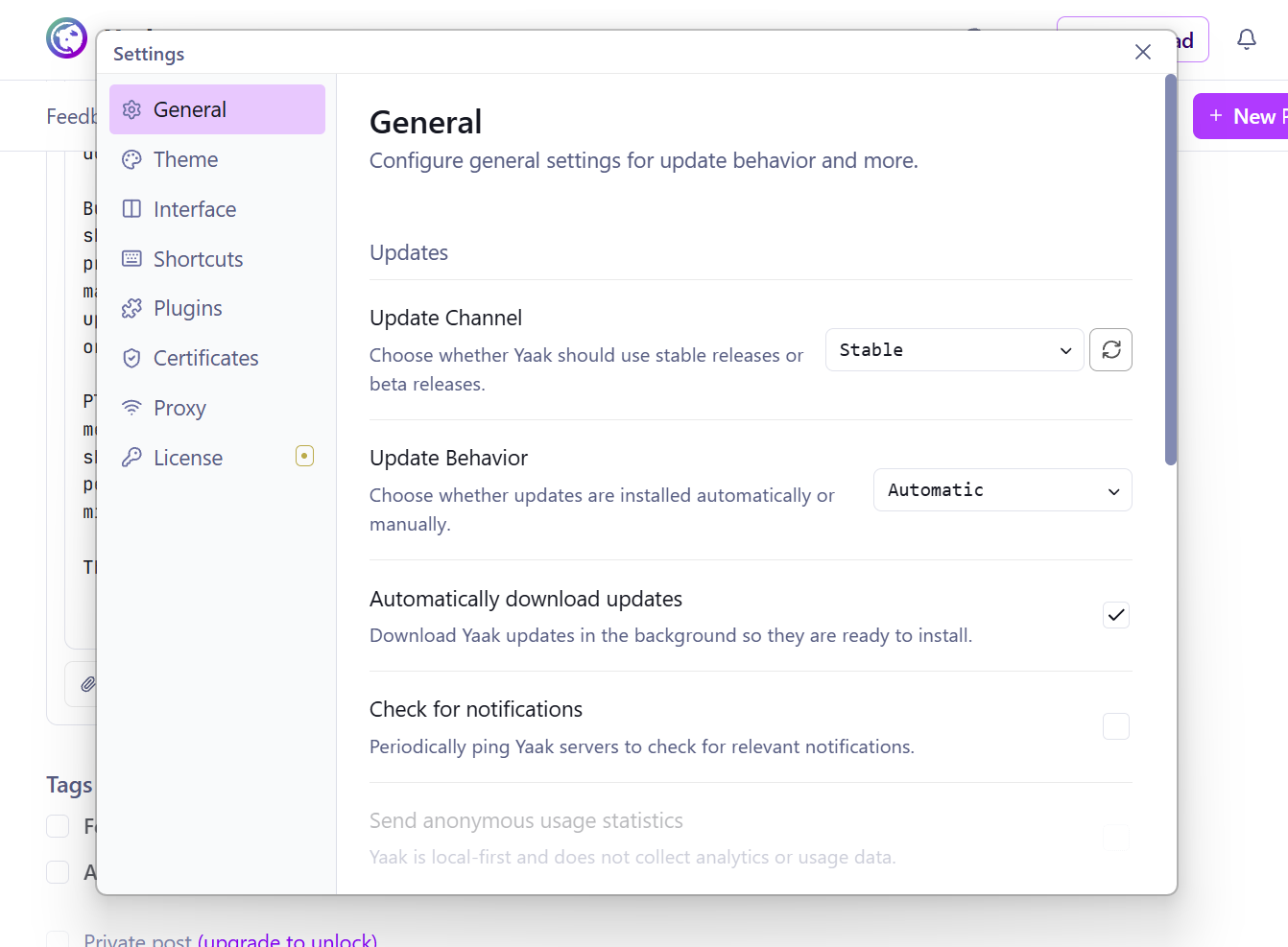
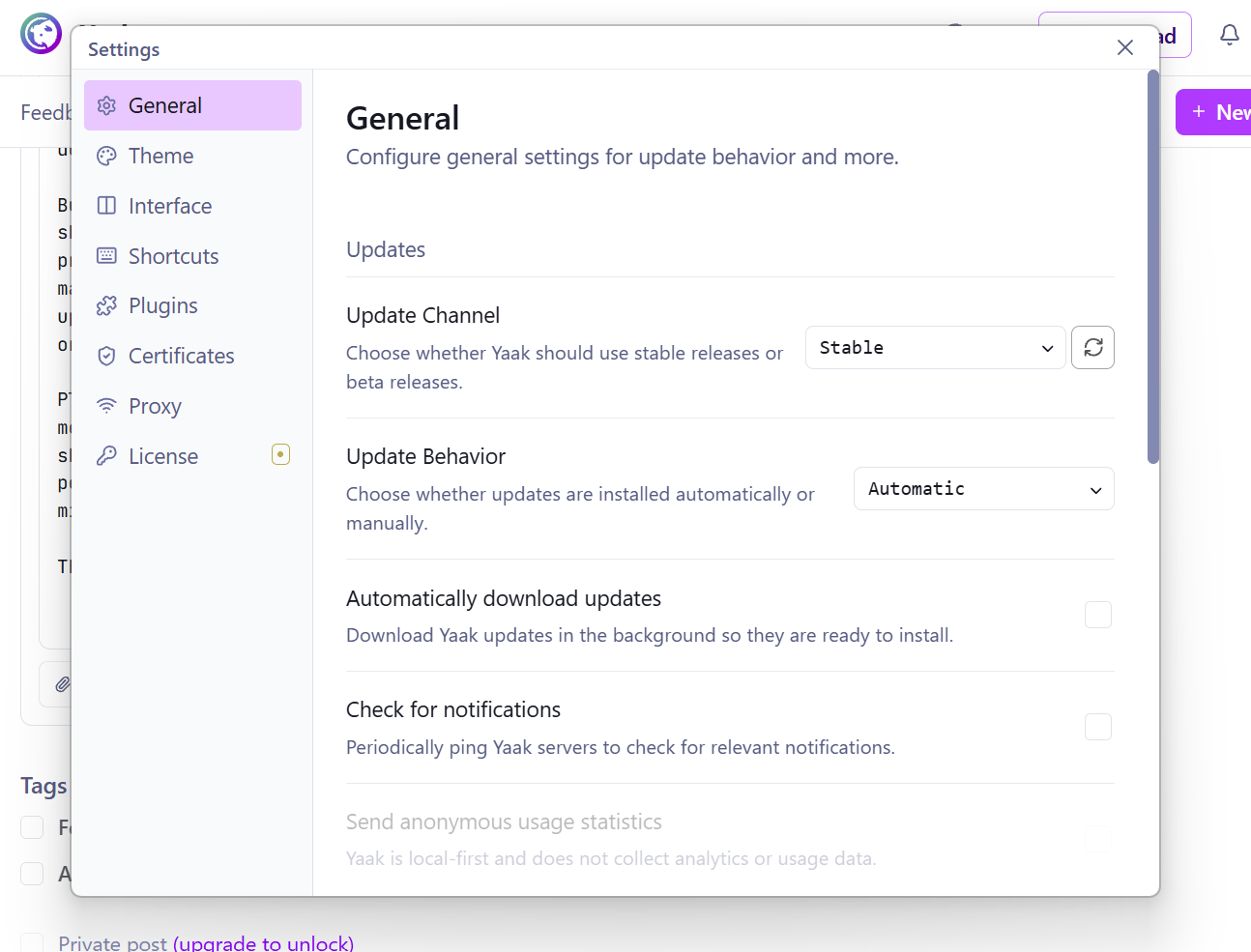
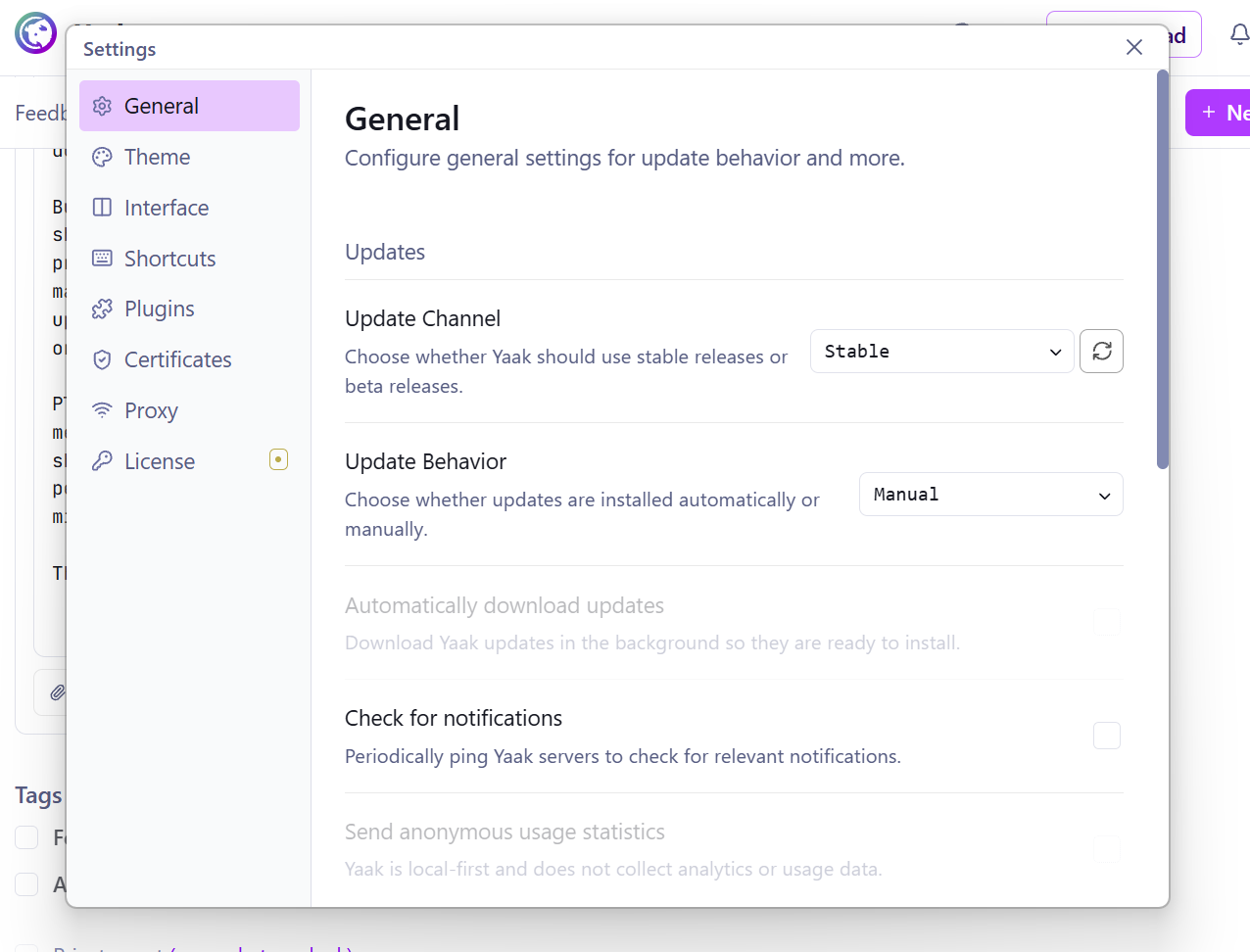
Currently in Settings -> General, when the “Update Behavior” dropdown is selected to “Automatic”, we are able to toggle the below “Automatically download updates” toggle/checkbox, but when the when the “Update Behavior” dropdown is selected to “Manual” the below “Automatically download updates” toggle/checkbox gets disabled which means that it’s set to automatic, or something, right? The checkbox also disappears or gets disabled so it’s hard to know what is actually going on after selecting Manual…
Now, for this given feature, should it not display the opposite behavior? Like when we select “Automatic”, updates should be done automatically without any User input such as downloading updates and applying them in the background without the User’s consent (So there’s no need to even show the “Automatically download updates” section - as all update downloads will take place automatically)
But when the “Update Behavior” is selected to “Manual”, should we not be getting the option to manually set the preference to our liking such as having the option to either manually trigger the update download, or just have them set up automatically? So ultimately getting the option to check or uncheck the “Automatically download updates” checkbox?
Please correct me if I am wrong, but this has been bugging me for quite a while and I’m not sure if the current setup should be the expected behavior, or If I’m missing something. I personally feel like the current behavior leads to misleading User eXperience.
Thank you in advance! :]