Keep several named body variants on one request: switch between them, send one, or delete it
Keep several named bodies on one request. Switch, send, done.
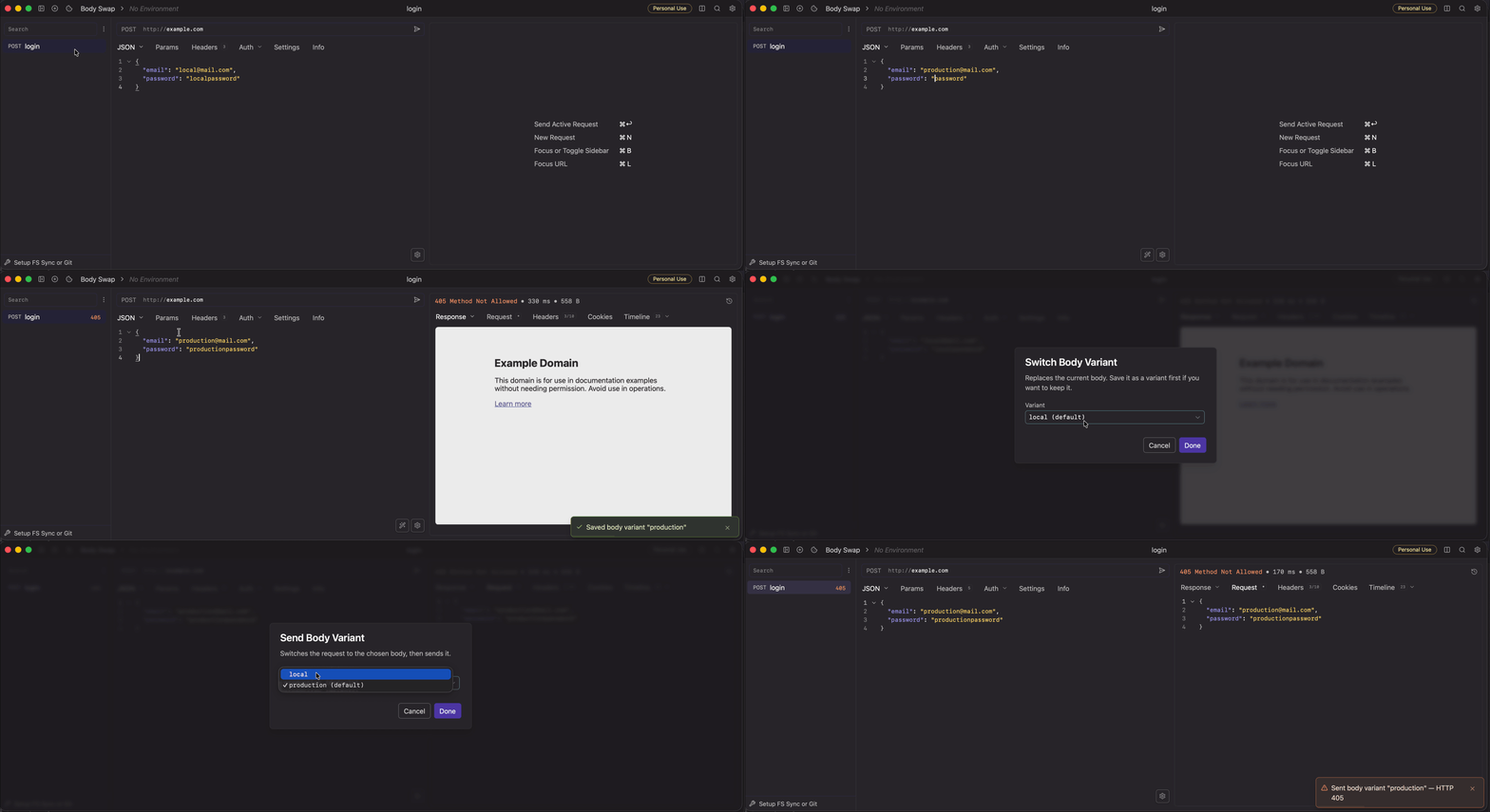
A Yaak plugin for everyone who tests the same endpoint
with more than one payload (the happy path, the missing field, the huge
one) and is tired of pasting bodies in and out of the editor or keeping a
graveyard of Create user (copy 3) requests in the sidebar.
A variant is a snapshot of the request’s body and body type, stored without interpreting its shape: JSON, GraphQL, form-encoded, and multipart bodies all work.
Right-click a request in the sidebar, or open the command palette while the request is active:
| Action | What it does |
|---|---|
| Save Body as Variant | Snapshots the current body under a name. Same name updates it. |
| Switch Body Variant | Puts the chosen body on the request. The plain Send button now sends it. |
| Send Body Variant | Switches to the chosen body, then sends it in one step. |
| Delete Body Variant | Removes a snapshot. Your current body is untouched. |
valid.missing-email.valid → the request fires and the editor
shows exactly the body that produced the response.${[ ... ]} tags
unrendered; they render with the active environment at send time, like
any other body.From the plugin registry: search for Body Swap in Settings → Plugins.
From source:
npx --yes @yaakapp/cli plugin build
then Settings → Plugins → Add Plugin → choose this directory.
Variants live in Yaak’s plugin store (your local database), keyed by request id:
Node 24 is required by the plugin bundler (.nvmrc included). Note that
npx yaak resolves to an unrelated npm package. Always use
npx --yes @yaakapp/cli.
npm install
npx vitest run                        # tests
npx tsc --noEmit                      # typecheck
npx --yes @yaakapp/cli plugin dev     # rebuild + reload into Yaak on save
Without plugin dev, a statically installed plugin does not reliably pick
up rebuilds. Restart Yaak or toggle the plugin off and on after building.
