This release introduces the ability to override settings per request or folder, a new cookie management dialog, and improves some Git improvement.
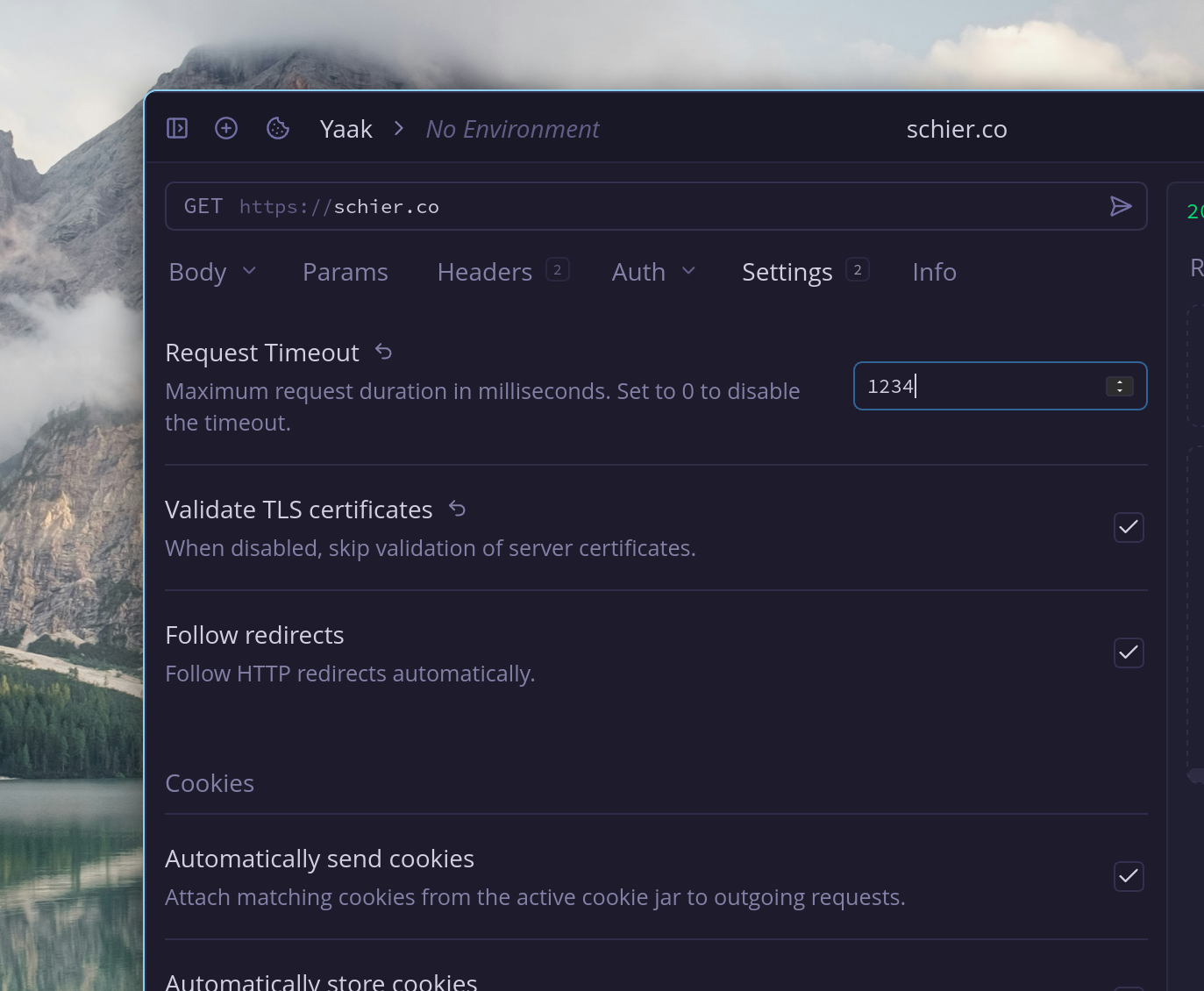
Override settings at workspace, folder, or request level
The behavioral settings that used to only be configurable at the workspace level (timeout, etc) can now be overridden per folder or request. This allows you to do things like configure a different timeout for a given request or set of requests.
Here are a few things this enables:
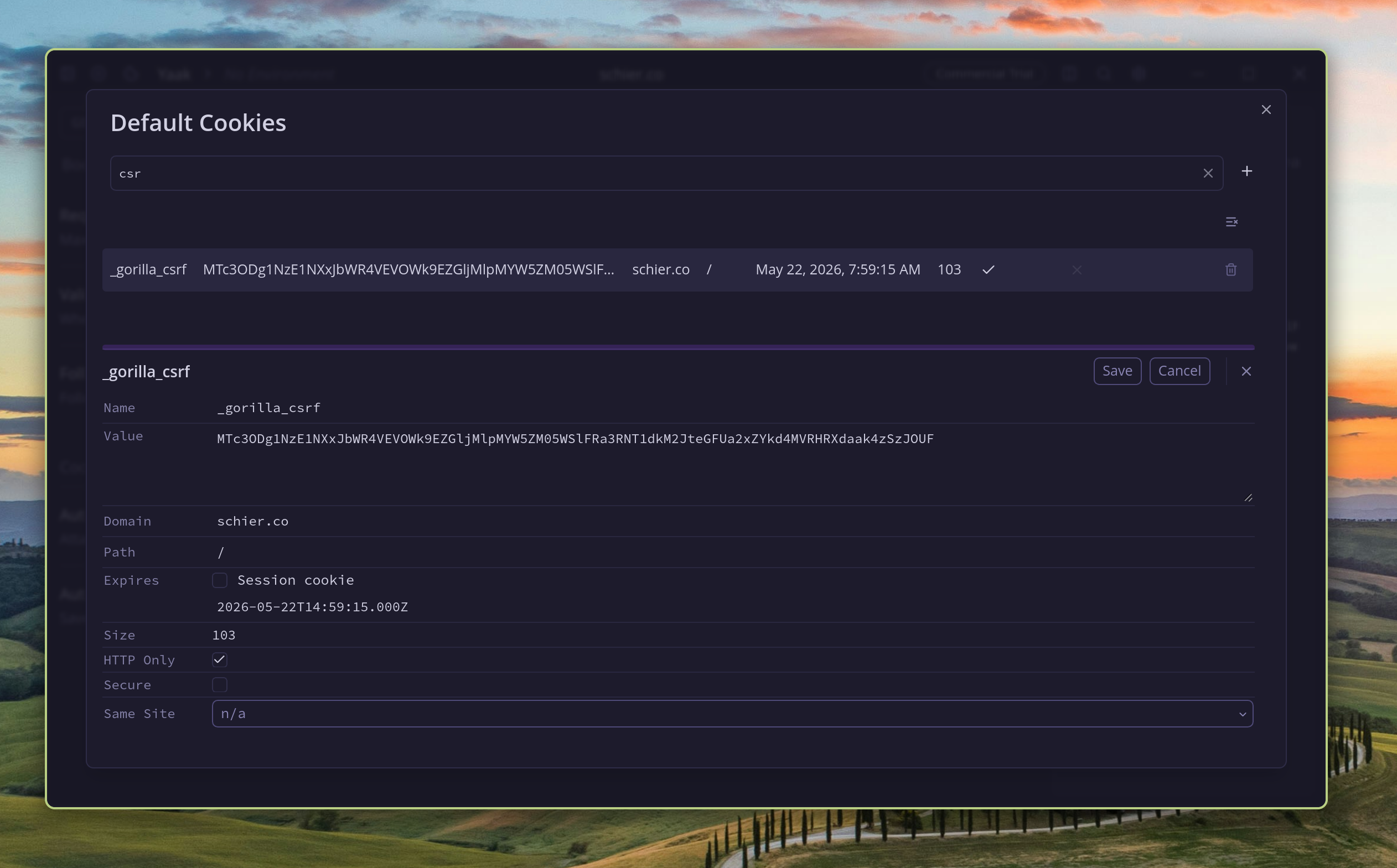
The new cookie editor dialog
The cookie dialog is now a full editor, allowing you to filter cookies, inspect cookies, copy values, and create/edit/delete cookies without leaving Yaak.
The dialog is also available from the command palette and assigned to Command-Shift-K by default.
Thanks to @stijnbrouwers for the original proposal and prototype that motivated this work.
On a related note, the behavior to automatically send and store cookies can now be configured per workspace/folder/request, thanks to the next feature we’re going to talk about.
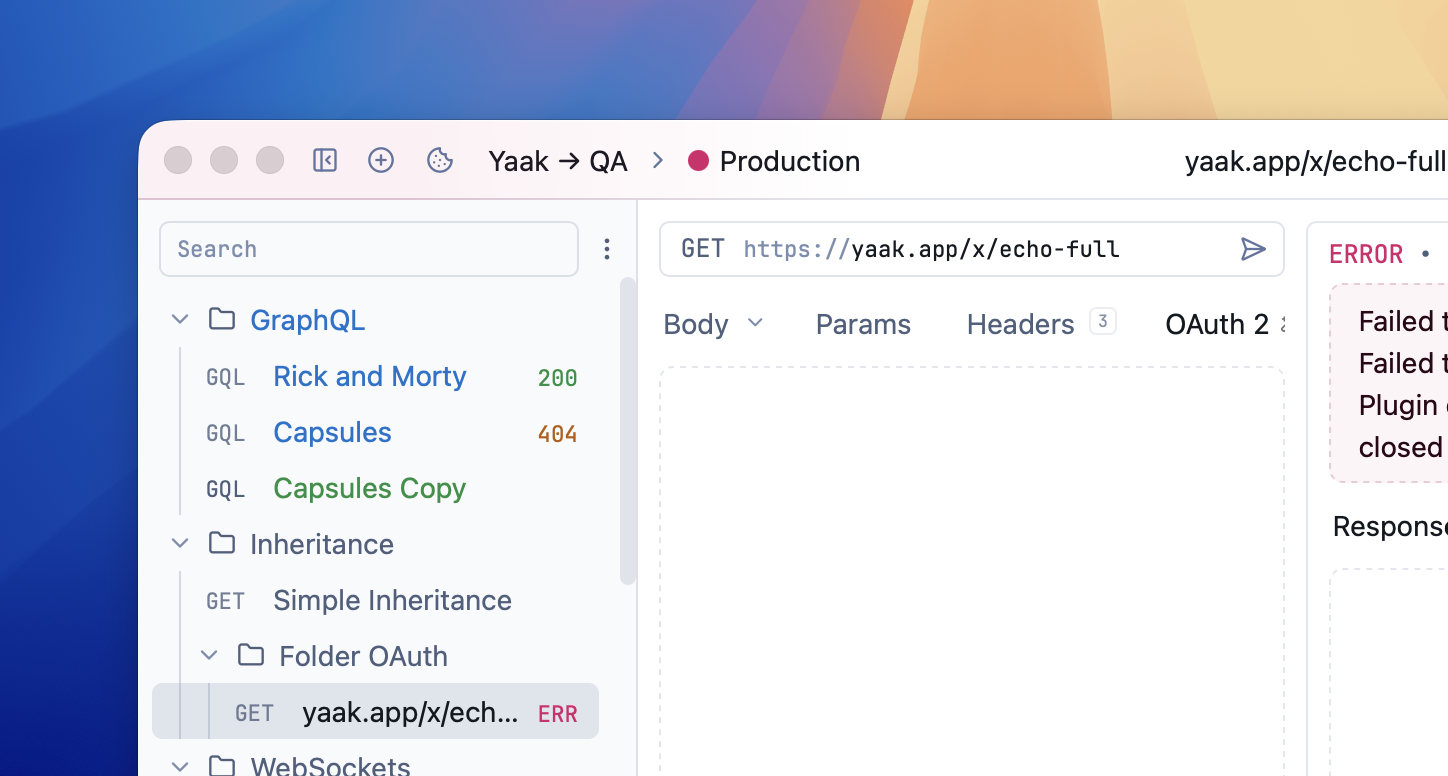
Live Git status in the sidebar with file history and restore
Git-synced workspaces now show live change status in the sidebar. Changed items are colored by status, and folders roll up changes from their descendants.
Right-click a Git-synced item to view file history, inspect per-commit diffs, restore a file to a previous commit, or discard local changes for the selected item.
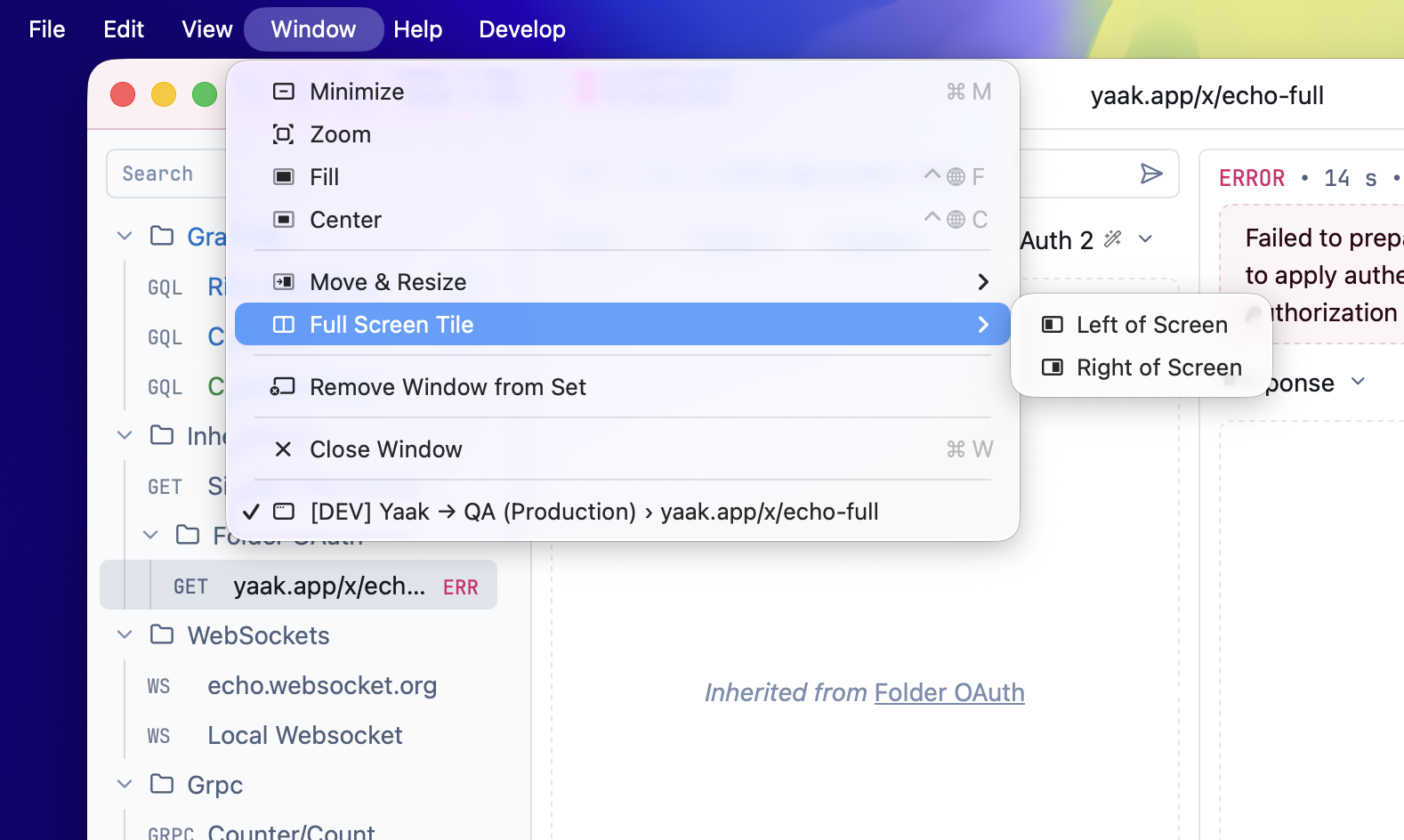
Native macOS window controls
Yaak now exposes the native macOS windowing menu item, which was enabled by an upgrade to the latest Tauri release.
Community-purchased licenses are what power new features and fixes like this. Supporting Yaak means more updates to come, for you and your team.

 Gregory Schier