This release brings JSON comment support in request bodies and an all new agent-friendly CLI, allowing tools like Claude and Codex interact with Yaak workspaces directly.
The new yaak CLI lets you manage workspaces, send requests, and inspect responses from the command line. It can be used directly by you, but is primarily designed for AI agents like Claude and Codex. Simply say “use the yaak CLI to…” and it will figure out the rest.
Install it with NPM and point your favorite agent at it:
npm install -g @yaakapp/cli
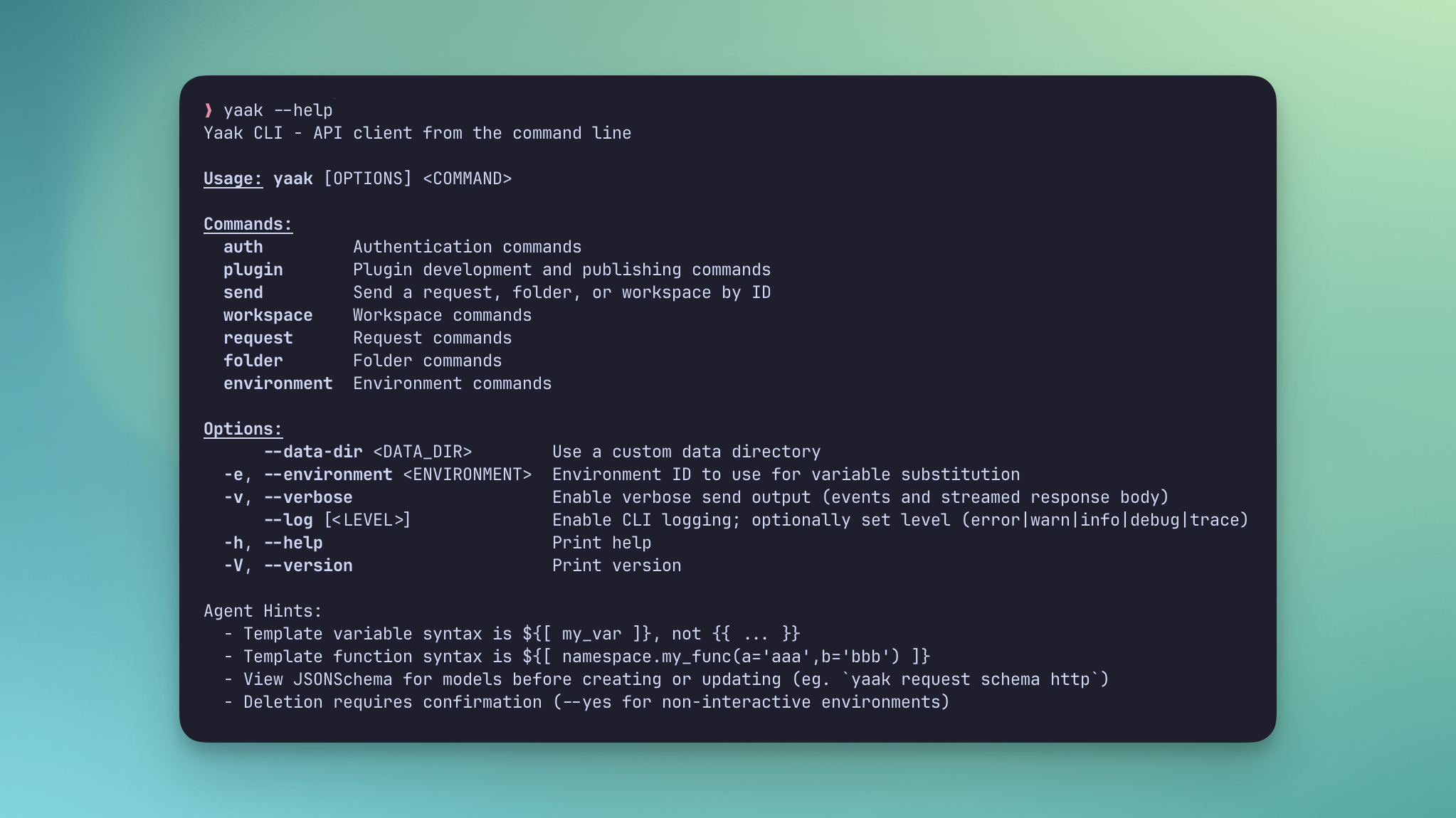
Use the CLI to interact with your Yaak workspaces
The CLI connects to the same local database as the desktop app, so any changes made are reflected immediately in both directions. The best part? It’s self-describing, so agents can use it without installing any skills.
schema subcommands to get exact data structure--json '{...}' for complete data manipulation--parallel and --fail-fast flags--verbose mode for debuggingGive it a try by asking Claude or Codex something like “Scan my API routes and create a Yaak workspace with all the requests I need for manual testing.”
Check out the CLI and Agents docs to get started.
You can now use Cmd+/ to comment out lines in JSON request bodies instead of deleting them when you want to temporarily disable part of a payload.
This works across HTTP, WebSocket, gRPC, and the GraphQL variables editor. When Yaak sends the request, it strips comments and removes trailing commas left behind by commented lines.
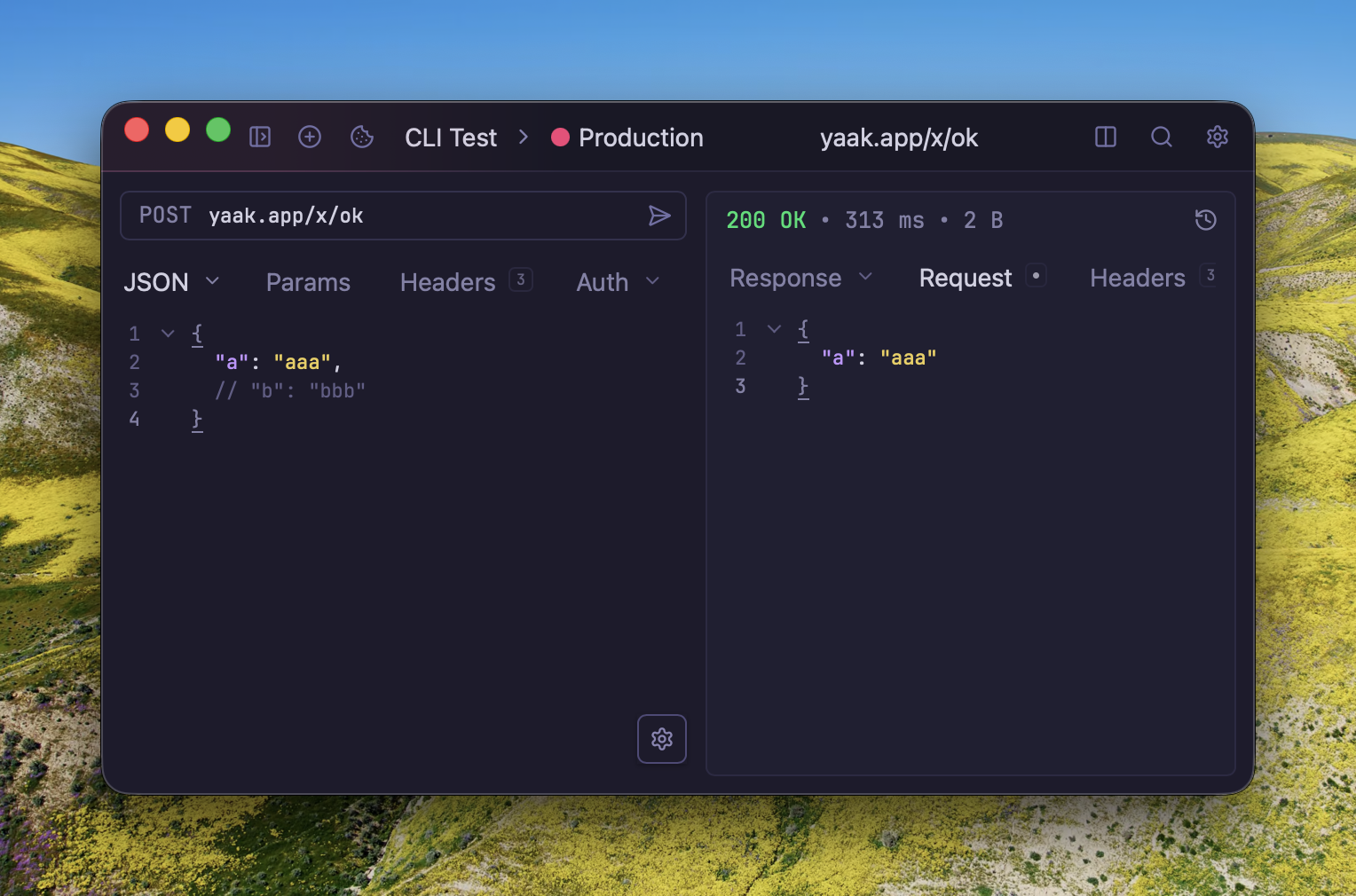
Comment out part of a JSON body without deleting it
If you need to send the body exactly as written, disable Automatically Fix JSON in the editor. With that off, linting becomes strict again and Yaak stops rewriting the payload before sending it.
Redirects can change a request in ways that are easy to miss, especially when a body or headers are dropped on the way to the final URL.
Yaak now shows a warning badge in the response pane when that happens. The timeline also includes the dropped header and body details so you can see which redirect caused the change.
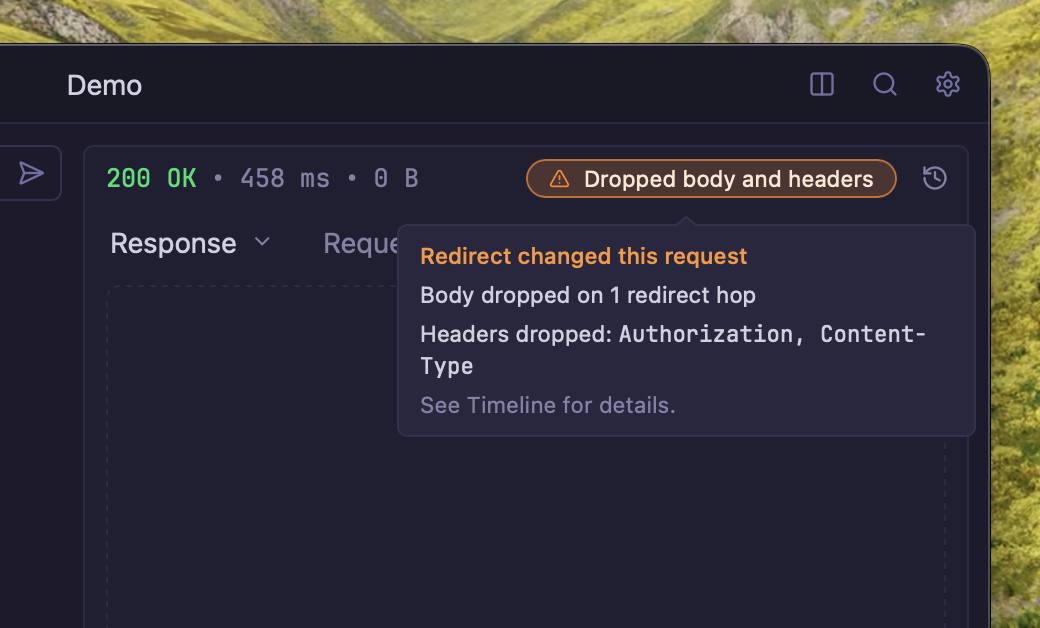
See when a redirect dropped request data before the final response
This makes it easier to tell whether a failed request is caused by the destination server or by redirect handling before the final hop.
See also: #418
WWW-Authenticate has Negotiate first(feedback
, #402
)Community-purchased licenses are what power new features and fixes like this. Supporting Yaak means more updates to come, for you and your team.

 Gregory Schier