
Disabling TLS validation in settings does not affect gRPC

Bug
To reproduce, disable TLS validation in the settings and run the TLS example server from Tonic (https://github.com/hyperium/tonic/tree/master/examples):
PS C:\Users\Andreas\source\repos\tonic\examples> cargo run --bin tls-server
    Finished `dev` profile [unoptimized + debuginfo] target(s) in 0.23s
     Running `C:\Users\Andreas\source\repos\tonic\target\debug\tls-server.exe`
Then load the UnaryEcho proto file from it, connect to https://localhost:50051/. The UI shows a non-committal error message of client error (Connect):
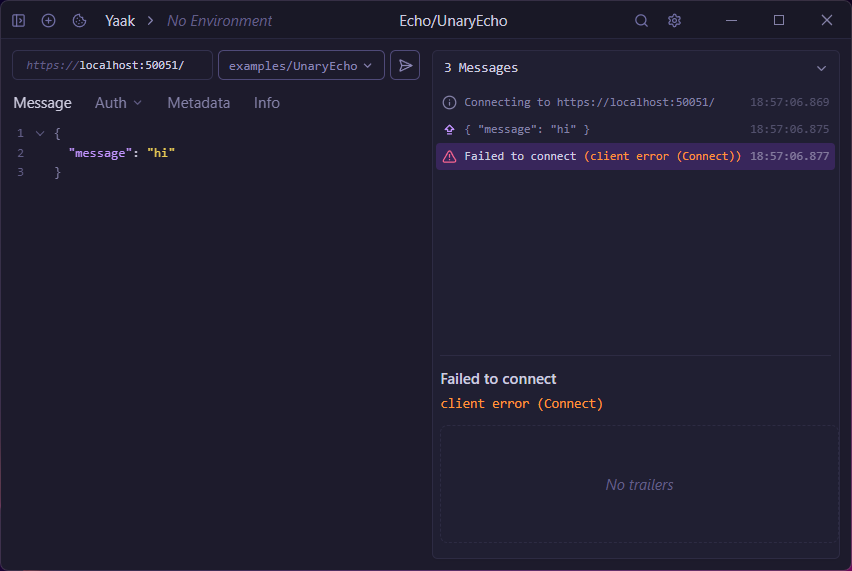
The Yaak.log contains:
[2025-03-14][18:05:20][[31mERROR[0m][rustls_platform_verifier::verification::windows] failed to verify TLS certificate: invalid peer certificate: UnknownIssuerFrom this, it seems to me like the TLS certificate validation is not disabled by the UI settings.
Windows2025.1.2
I’m pretty sure this was fixed in 2025.4. The “Validate Certificates” setting now applies to gRPC and Websocket requests as well.
https://yaak.app/blog/2025.4.0