This release focuses on Git workflow improvements. You can now clone Git repos directly from Yaak, and manage branches more easily with new submenus in the Git dropdown.
The MCP server plugin also got an update to support CRUD operations for folders.
Branch-related Git operations have been moved from libgit2 to use the git binary directly. This ensures consistent behavior when performing tricky merge and checkout operations. push, pull, and a few other
commands already operated in this way.
The Git dropdown now also adds submenus to make branch operations easier to access. The gist? You can now rename/delete/merge a branch without having to check it out first.
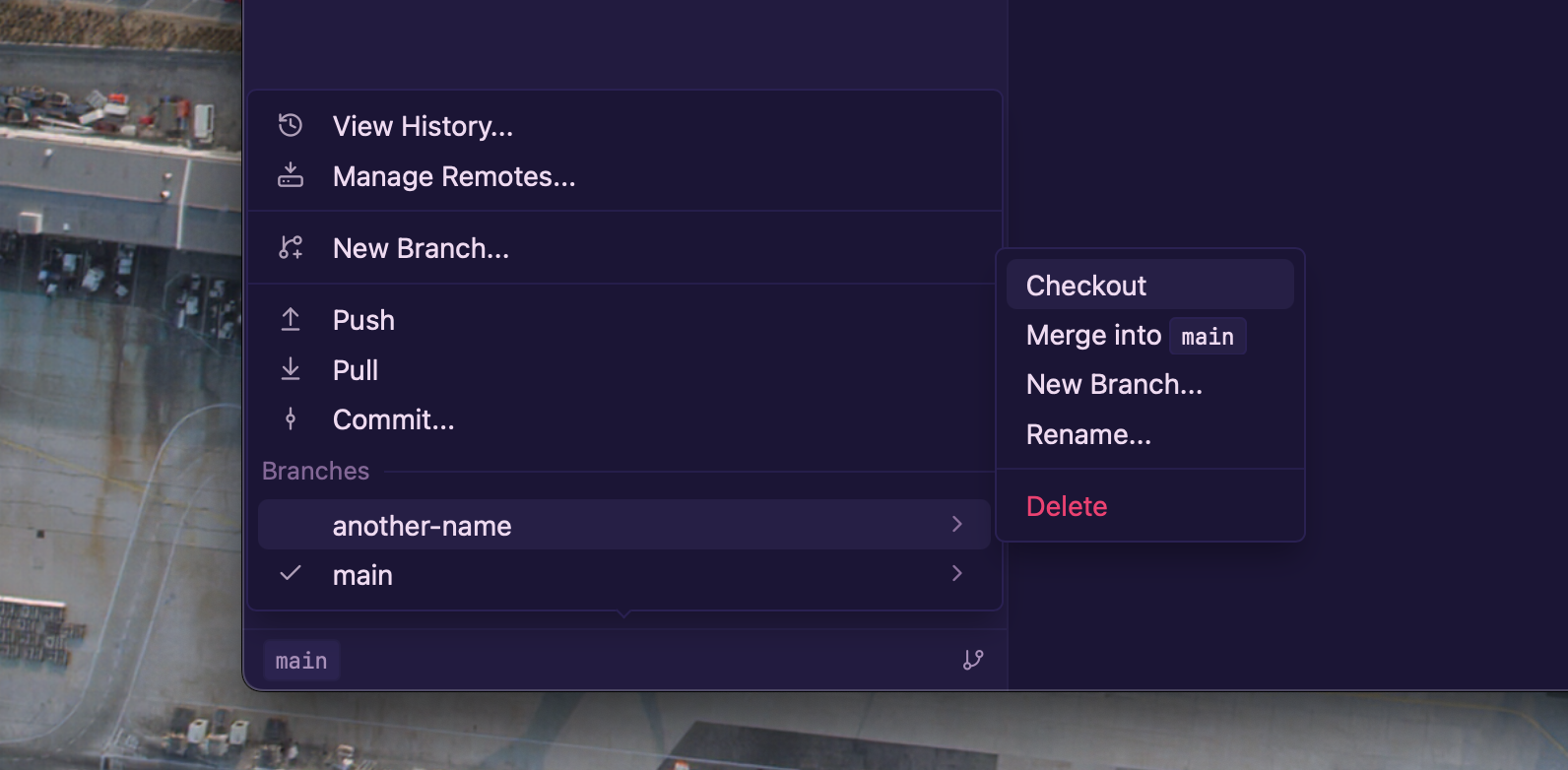
Branch submenus with contextual actions
It is also now possible to clone a git repository directly in Yaak so you no longer have to touch your terminal!
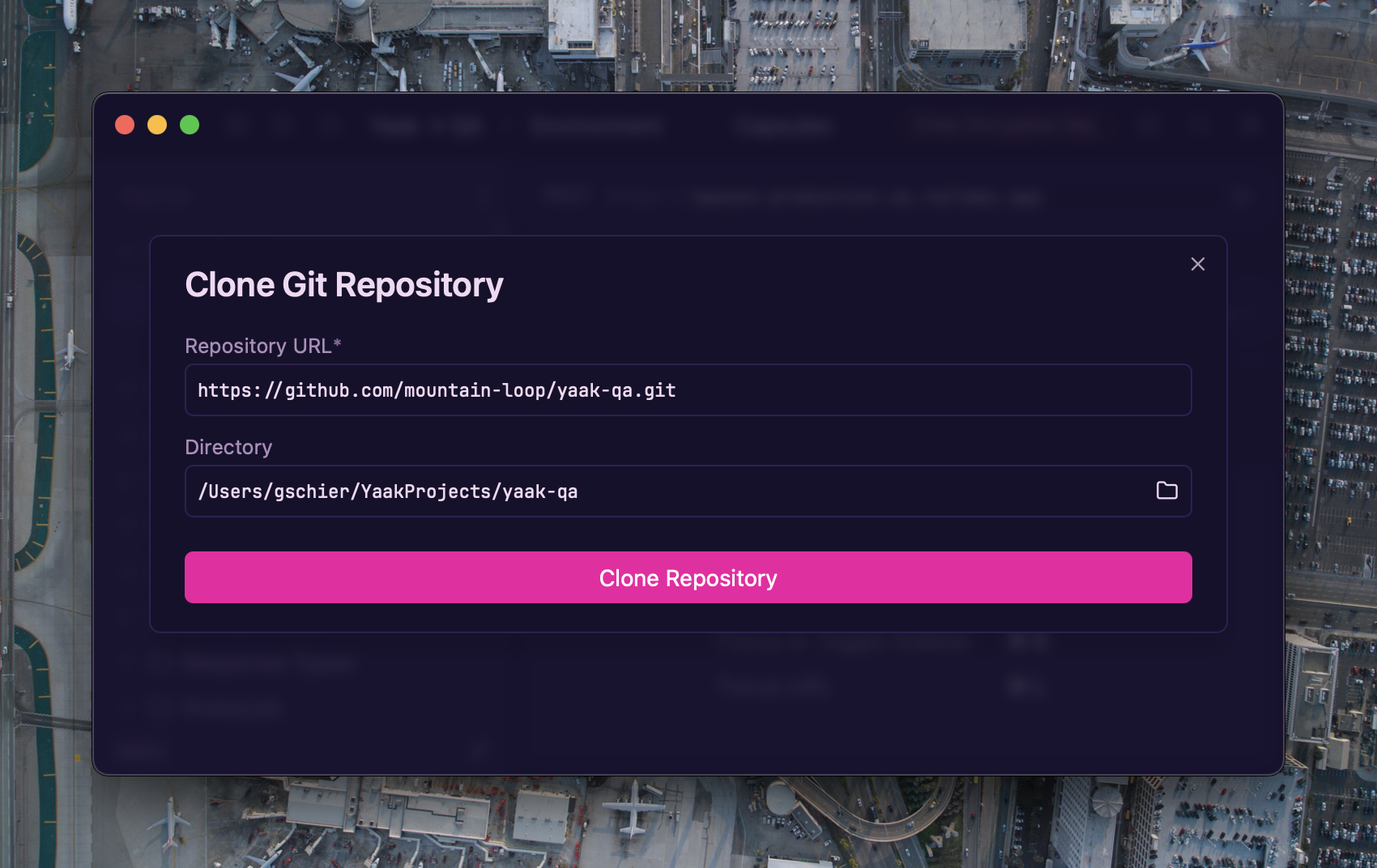
Clone a new Git repository
Clone a new repo using the new options in the Workspace dropdown
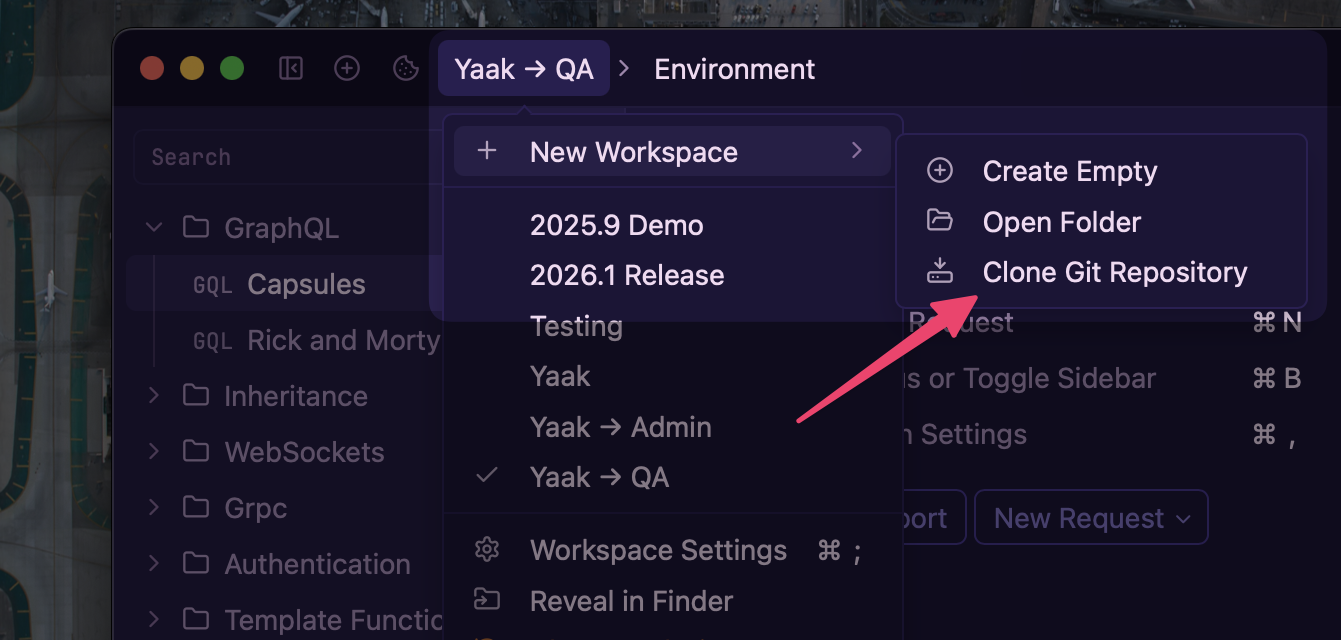
Clone a new repo from the Workspace dropdown
See also: #370
