Onslow: Did you bring any beer?
Rose: No, I didn’t.
Onslow: I’m sitting here, completely surrounded by no beer!
The above quote is from the classic sitcom Keeping Up Appearances, which is exactly what this release is all about. Yaak is about to get an appearance upgrade.
You know how the first comment when anyone posts a screenshot of their editor is what theme is that? Well now you can say the same thing about Yaak screenshots!
Thanks to your suggestions on Twitter, you can now choose between six popular themes (many with multiple variants):
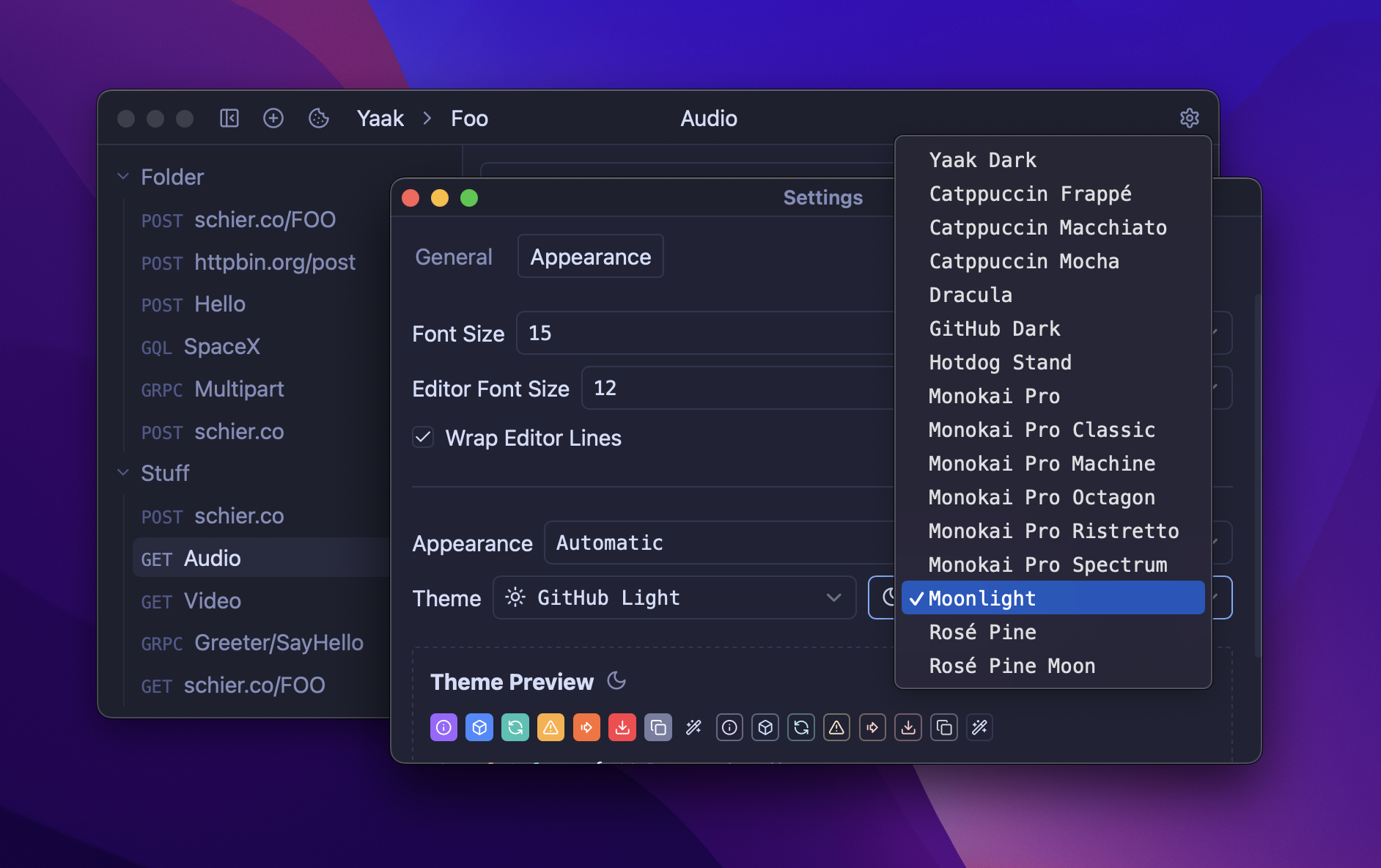
But this is just the beginning of the story. A new “Theme Studio” is in the works, which will make it trivial to create and share custom themes of your own! So stay tuned for that.
Fixes Add Theme Support
See also: feedback
Themes presented a tricky problem. How do you know what the theme looks like if the settings menu covers the entire window? It took a while to come to a solution, but it was simple; move settings to a native window so that it can be moved out of the way. Perfect! This also makes Yaak feel much more desktop-native.
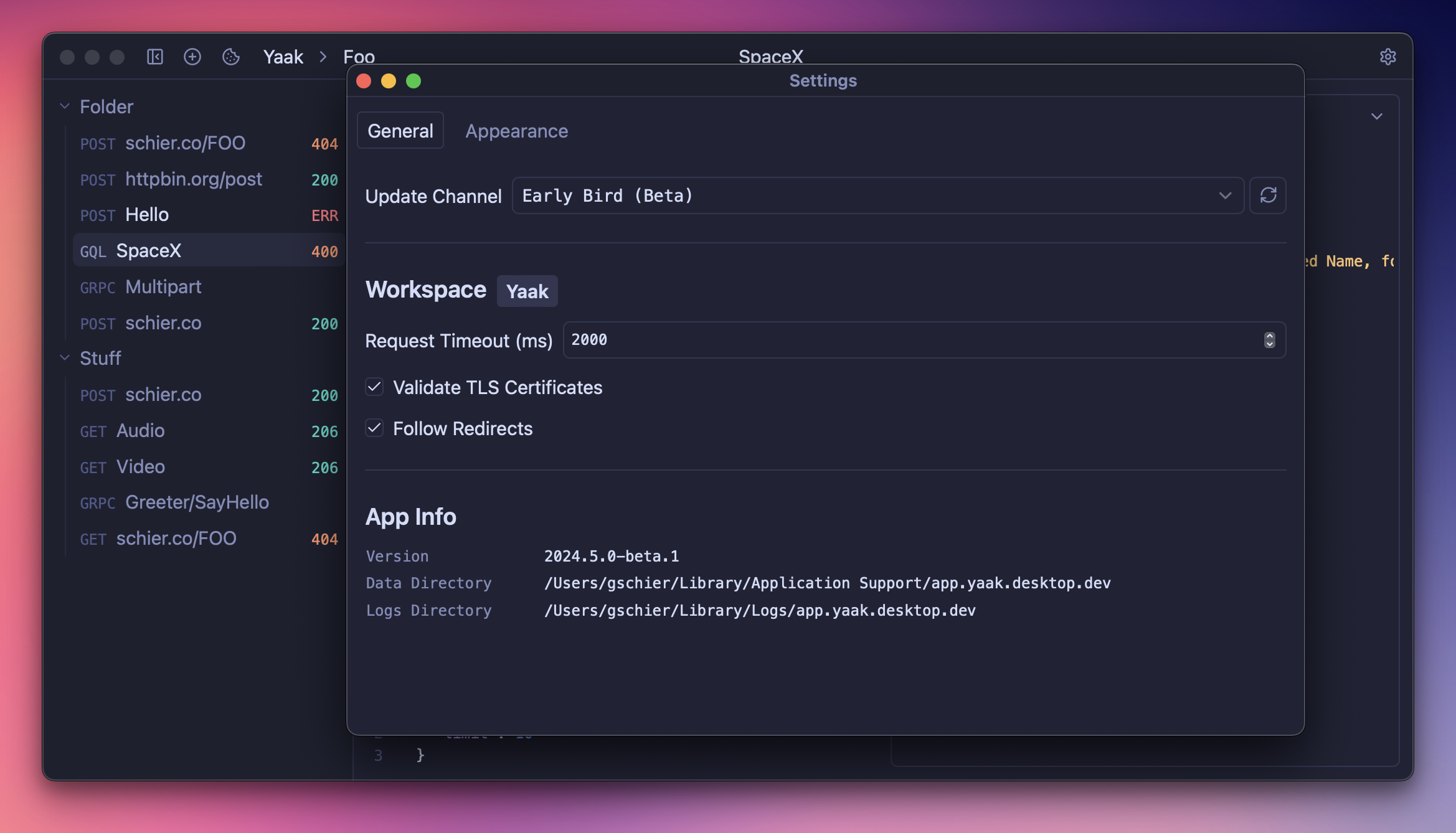
Settings have now also been split into two tabs to accommodate the new theme and font settings.
Accessibility is crucial to any application. And, one of the biggest things for accessibility is being able to change font size to suite your needs, whether you need larger text for readability or smaller text to get more out of your display.
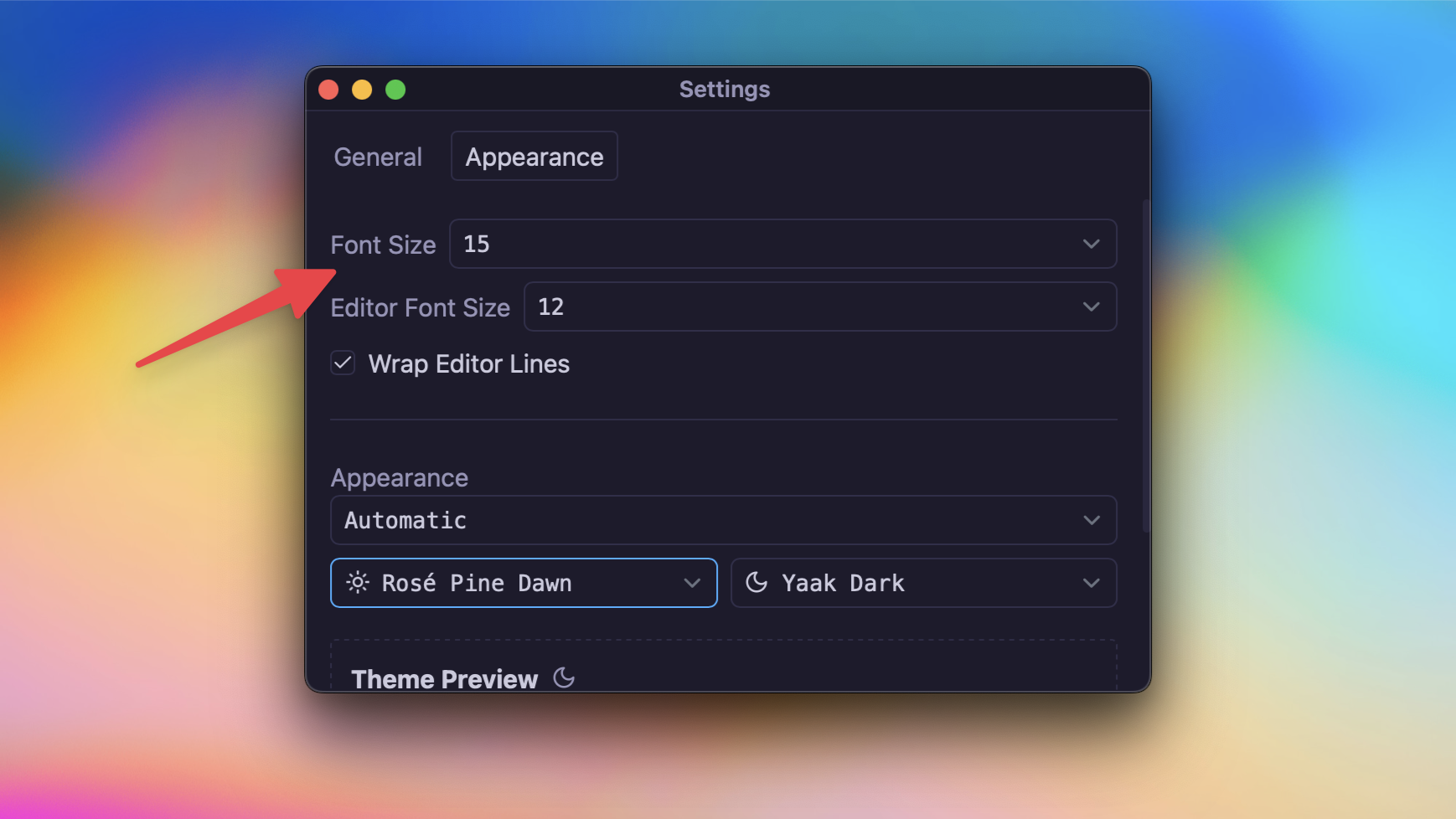
Now you can customize both UI and editor font sizes separately, as well as configure editor wrapping for those unwieldy responses.
This release adds two more content types to the response preview: Video and Audio. If you deal with APIs that return either of these, you’ll now be able to play the media natively within Yaak.
🤔 Is Yaak now also a podcast player?
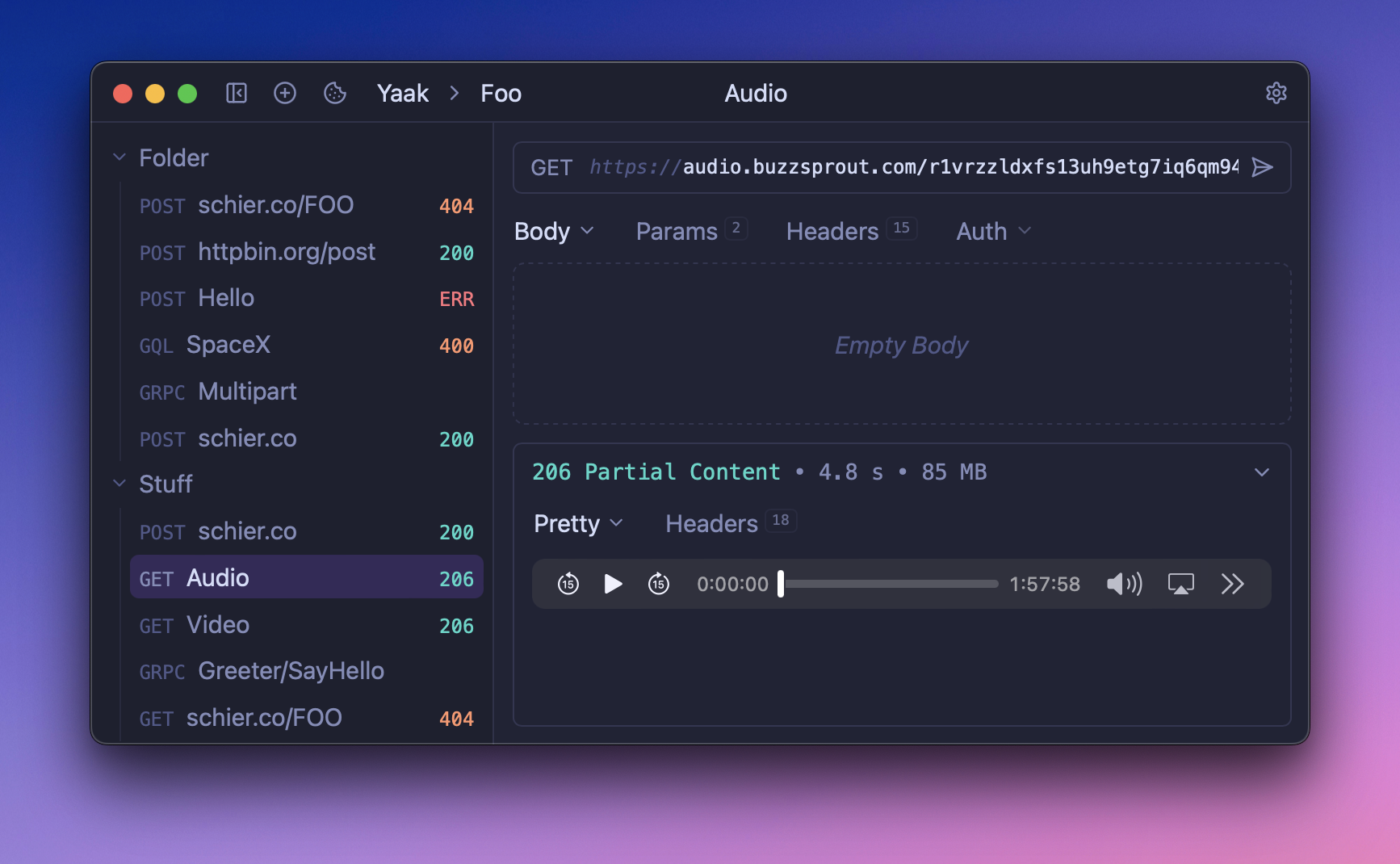
If you’re not aware, Yaak now supports the following content types:
And more will be added in future releases so leave a suggestion if you need others!
Fixes Preview audio and video files
See also: feedback
Ctrl + / Ctrl -)Community-purchased licenses are what power new features and fixes like this. Supporting Yaak means more updates to come, for you and your team.